Introduction
Imagine deploying an application to production only to discover that the database credentials were accidentally committed to the code repository. Unfortunately, this scenario happens more often than many teams realize. In modern software development, environment variables play a critical role in protecting sensitive data and ensuring that applications run correctly across different environments.
In the DevOps ecosystem, managing configuration properly is essential for security, scalability, and reliability. One of the most widely used techniques is storing configuration values such as API keys, database URLs, and service credentials as environment variables.
If you're learning DevOps or working with automation pipelines, understanding environment variables devops practices is essential.
In this comprehensive guide, you will learn:
- What environment variables are
- Why they are essential in DevOps workflows
- How environment variables work in CI CD pipelines
- Best practices for managing secrets and configuration
- Real-world examples using popular DevOps tools
- Security tips to prevent data leaks
By the end of this article, you will understand how professional DevOps engineers safely manage environment variables in automated deployment pipelines.
What Are Environment Variables
Environment variables are dynamic values that are stored outside the application code and used to configure software behavior during runtime.
Instead of hardcoding configuration values inside your source code, environment variables allow developers to store those values externally.
Examples include
- Database connection strings
- API keys
- Authentication tokens
- Service endpoints
- Application settings
Example
DATABASE_URL=postgres://user:password@host:5432/db
API_KEY=123456ABC
NODE_ENV=production
Why Environment Variables Matter in DevOps
Environment variables are a cornerstone of modern environment variables devops practices.
Separation of Code and Configuration
One of the core DevOps principles is separating configuration from code so the same application can run in multiple environments.
Typical environments include
- Development
- Testing
- Staging
- Production
Security and Secret Management
Sensitive information such as credentials should never be stored directly in source code.
Environment variables help protect
- Database passwords
- Cloud credentials
- API tokens
- Encryption keys
Deployment Flexibility
Environment variables allow the same application to behave differently depending on the environment.
Example
NODE_ENV=development
NODE_ENV=production
How Environment Variables Work in CI/CD Pipelines
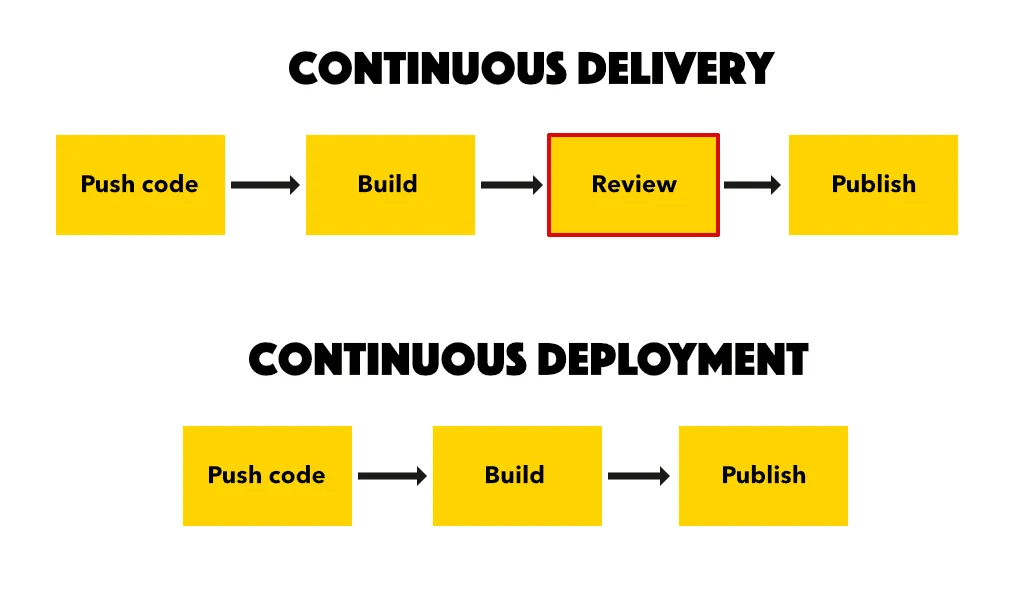
CI CD pipelines automate building testing and deploying applications.
Typical pipeline stages
1 Code checkout 2 Build process 3 Testing 4 Deployment 5 Monitoring
Environment variables provide configuration values during these stages.
Example CI/CD Environment Variables
DOCKER_IMAGE_NAME=myapp
DATABASE_URL=postgres_url
API_SECRET_KEY=secret
DEPLOY_ENV=production
DevOps Best Practices for Environment Variables
Professional DevOps teams follow these practices
Never Commit Secrets to Git
Sensitive variables should never appear in source code repositories.
Use Secret Management Tools
Examples include
- HashiCorp Vault
- AWS Secrets Manager
- Google Secret Manager
Limit Access Permissions
Only authorized systems should access environment variables.
Rotate Secrets Regularly
Credentials should be rotated periodically.
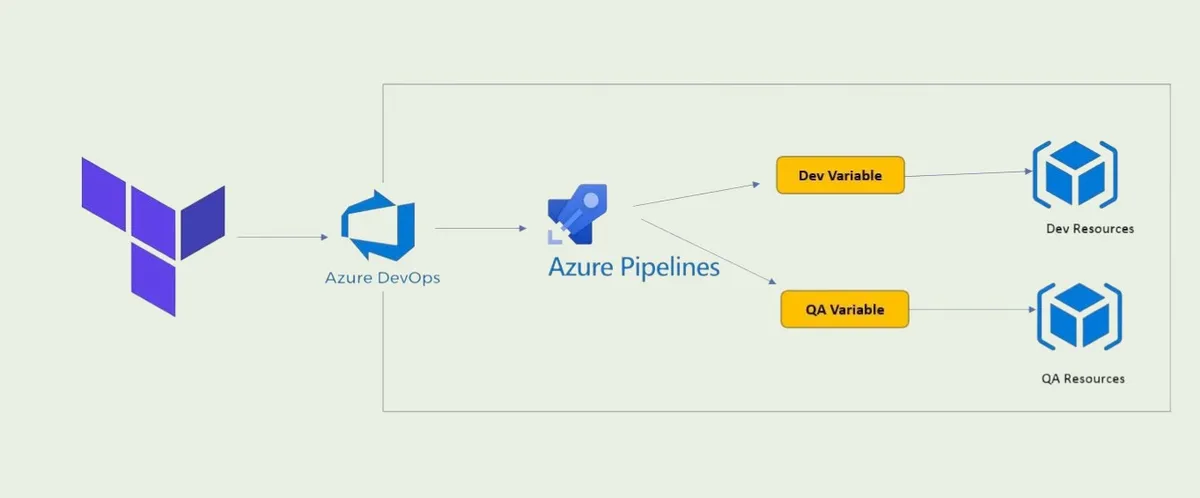
Use Environment Specific Configurations
Each environment should have separate configuration values.
Short Summary
Environment variables help separate configuration from code improve security and make CI CD pipelines flexible and scalable.
Proper management of environment variables devops ensures reliable deployments.
Conclusion
Handling environment variables correctly is essential for DevOps engineers. From CI CD pipelines to container orchestration systems they enable secure configuration management and flexible deployments.
By following best practices like secure storage secret management and environment separation teams can build reliable automated pipelines.
Frequently Asked Questions
Environment variables are configuration values stored outside the application code that control software behavior.