
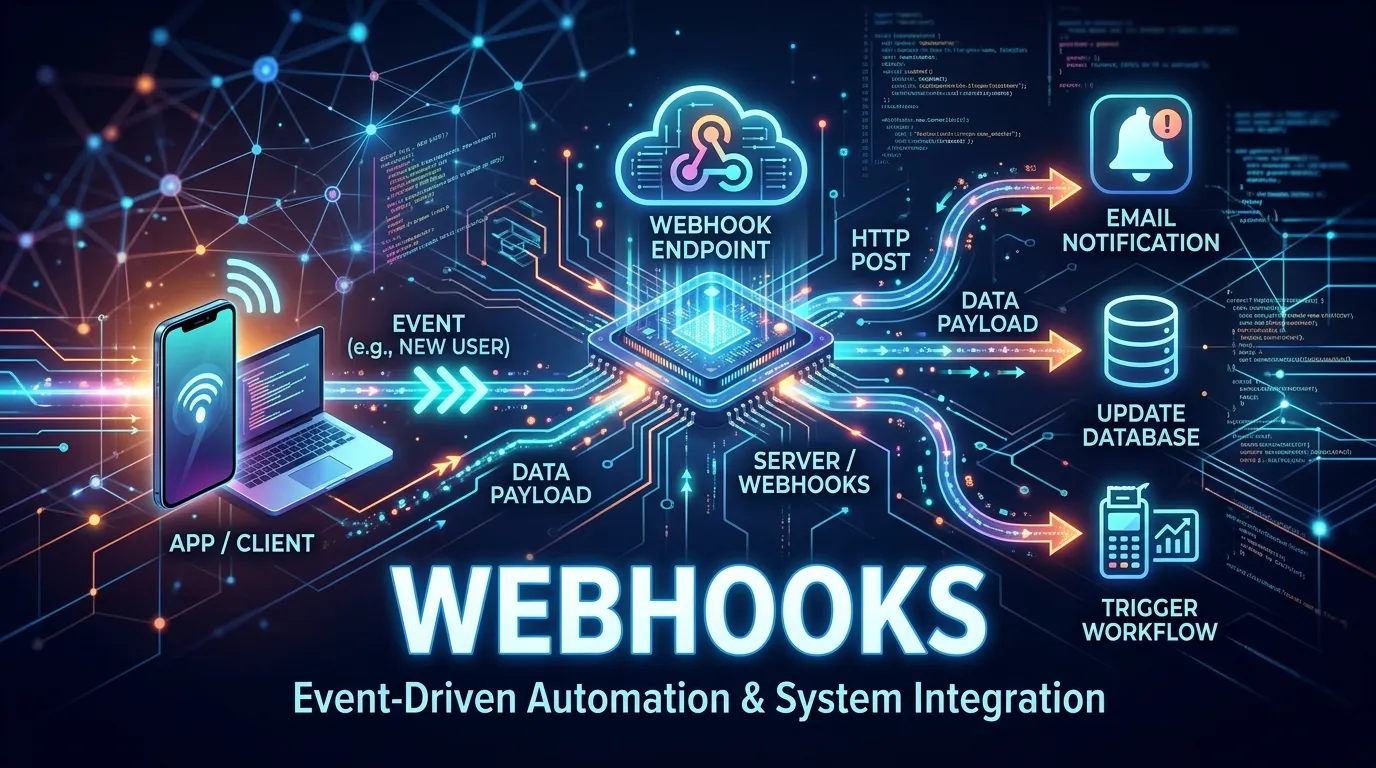
Webhooks Explained for Developers
Introduction
Imagine your application instantly receiving information the moment something happens.
A payment is completed. A user signs up. An order gets shipped. A message arrives.
Instead of repeatedly checking an API for updates, the system automatically notifies your application in real time.
This powerful communication method is called a Webhook.
Modern applications rely heavily on automation and real-time integrations. Whether you are building SaaS products, ecommerce platforms, payment systems, or automation tools, understanding webhooks basics is essential for every developer.
In this complete developer-friendly guide, you will learn:
- What webhooks are and how they work
- Webhooks vs APIs explained simply
- Real-world examples developers use daily
- Step-by-step webhook implementation
- Security best practices
- Debugging and testing workflows
- Production-ready webhook architecture
By the end of this article, you will confidently implement webhooks in real-world applications.
What Are Webhooks
A webhook is an automated HTTP callback triggered by an event.
When a specific event occurs, one application sends data to another application instantly through an HTTP request.
Instead of asking:
Has something changed
Webhooks say:
Something changed here is the data.
Simple Definition
Webhooks are event-driven notifications sent automatically between applications.
Why Webhooks Exist
Traditional systems relied on API polling.
API Polling Problem
An application repeatedly sends requests like:
Check for updates Check again Check again
This creates:
- Unnecessary server load
- Increased latency
- Poor performance
Webhooks eliminate constant checking by sending updates only when needed.
How Webhooks Work
Step-by-Step Flow
1 Event occurs in source system 2 Source application triggers webhook 3 HTTP request sent to target URL 4 Receiving server processes data 5 Action executed automatically
This makes systems reactive instead of repetitive.
Webhooks vs APIs
| Feature | API | Webhook |
|---|---|---|
| Communication | Request based | Event based |
| Trigger | Client requests data | Server sends data |
| Updates | Manual polling | Automatic |
| Efficiency | Lower | Higher |
APIs pull data. Webhooks push data.
Both often work together.
Real-World Webhook Examples
Payment Processing
When payment succeeds:
Payment gateway sends webhook and backend updates order status.
GitHub Integration
When code is pushed:
GitHub webhook triggers CI CD pipeline automatically.
Ecommerce Automation
When order shipped:
Webhook notifies CRM or notification system.
Messaging Applications
New message received triggers notification service.
Anatomy of a Webhook Request
A webhook is simply an HTTP POST request.
Typical components include:
- Endpoint URL
- Headers
- Payload data
- Authentication signature
Example payload:
{ "event": "payment_success", "user": "12345", "amount": 99 }
Your server receives and processes this data.
Creating Your First Webhook
Step 1 Create Endpoint
Example Node.js Express server:
app.post("webhook", (req, res) => { console.log(req.body); res.sendStatus(200); });
This endpoint receives webhook events.
Step 2 Register Webhook URL
Inside service dashboard:
- Stripe
- GitHub
- PayPal
- Slack
Add endpoint URL.
Step 3 Trigger Event
Perform action that triggers webhook.
Data arrives automatically.
Webhook Request Lifecycle
Webhook processing usually follows:
Receive request Verify authenticity Process payload Update database Return response
Fast response prevents retry failures.
Webhook Security Best Practices
Security is critical.
Verify Webhook Signature
Most services send signatures.
Validate request origin before processing.
Use HTTPS Only
Always secure webhook endpoints.
Prevent Replay Attacks
Store event IDs to avoid duplicate processing.
Authenticate Requests
Never trust incoming data blindly.
Handling Webhook Failures
Webhook delivery can fail.
Reasons include:
- Server downtime
- Timeout errors
- Invalid responses
Most providers retry failed webhooks automatically.
Best Practice
Return status code quickly:
res.sendStatus(200);
Process heavy tasks asynchronously.
Webhook Retries and Idempotency
Duplicate events may occur.
Design webhook handlers to be idempotent.
Meaning processing same event multiple times produces same result.
Example check if order already processed before updating database.
Testing Webhooks Locally
Testing locally is challenging because webhooks require public URLs.
Popular Tools
- ngrok
- webhook.site
- Postman mock servers
ngrok exposes local server to internet for testing.
Debugging Webhooks
Professional debugging workflow:
- Check request logs
- Validate payload format
- Verify signatures
- Inspect HTTP response codes
Logging is essential for webhook development.
Webhooks in Microservices Architecture
Webhooks enable loosely coupled systems.
Benefits:
- Independent services
- Real-time communication
- Event-driven architecture
Modern cloud systems rely heavily on webhooks.
Webhooks vs Message Queues
| Feature | Webhooks | Message Queues |
|---|---|---|
| Setup | Simple | Complex |
| Delivery | HTTP based | Broker based |
| Reliability | Medium | High |
| Use Case | Integrations | Large scale systems |
Webhooks work well for integrations, queues for heavy workloads.
Scaling Webhook Systems
High-scale applications must handle:
- Concurrent requests
- Retry storms
- Event bursts
Solutions include:
- Queue processing
- Background workers
- Rate limiting
Scalability planning prevents failures.
Common Webhook Mistakes Developers Make
Processing Requests Slowly
Webhook providers expect quick responses.
Ignoring Security Validation
Leads to fake request attacks.
Not Handling Retries
Causes duplicate data.
Missing Logging
Makes debugging nearly impossible.
Webhooks in Popular Platforms
Many platforms rely on webhooks:
- Stripe payments
- GitHub actions
- Shopify events
- Slack automation
- Discord bots
Learning webhooks unlocks powerful integrations.
Advantages of Using Webhooks
- Real-time communication
- Reduced server load
- Faster automation
- Event-driven workflows
- Better scalability
Webhooks modernize system communication.
When NOT to Use Webhooks
Webhooks are not always ideal.
Avoid when:
- Guaranteed delivery required
- High-frequency data streaming
- Complex transactional workflows
Message queues may be better alternatives.
Future of Webhooks
Modern software is moving toward:
- Event-driven systems
- Serverless computing
- API automation
- Low-code integrations
Webhooks remain foundational to modern integrations.
Short Summary
This webhooks basics guide explained how webhooks enable real-time communication between applications, how they differ from APIs, how to implement secure webhook endpoints, and how developers build scalable event-driven systems.
Conclusion
Webhooks transform applications from passive systems into intelligent, real-time platforms.
Instead of constantly asking servers for updates, applications react instantly when events happen.
Mastering webhooks allows developers to build integrations, automate workflows, and design scalable modern architectures.
If APIs are the backbone of modern software, webhooks are the nervous system connecting everything together.
Frequently Asked Questions
A webhook automatically sends data to another application when an event occurs.



