Introduction
You launched your website. You’re posting content, running ads, maybe even getting traffic…
But here’s the real question:
Do you actually know what your visitors are doing?
Are they reading your content? Leaving immediately? Converting into customers?
This is where Google Analytics for beginners becomes a game changer.
Without data, you’re guessing. With Google Analytics, you’re making data driven decisions.
In this complete beginner friendly guide, you’ll learn:
- What Google Analytics is and why it matters
- How to set it up step by step
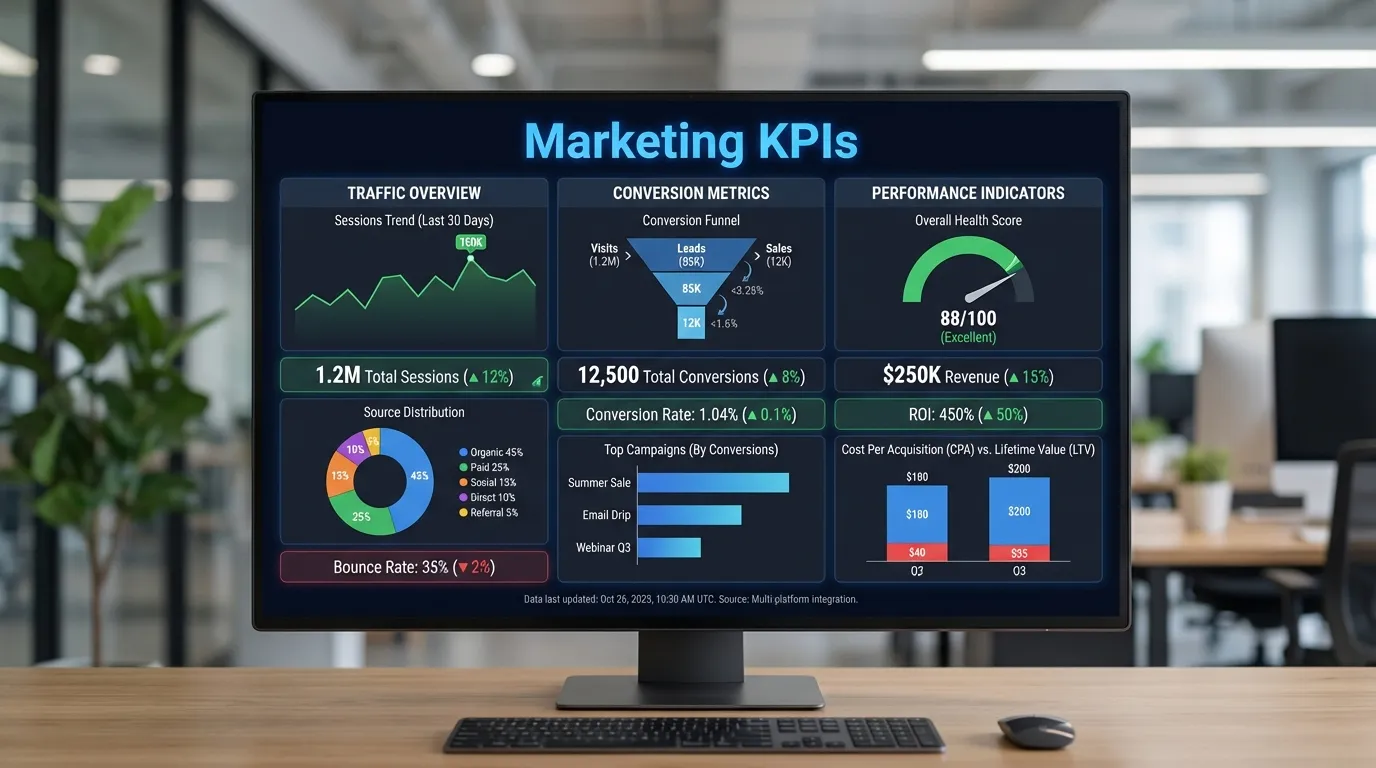
- Key metrics you must understand
- How to analyze your website performance
- Practical tips to improve traffic and conversions
By the end, you’ll confidently use Google Analytics to grow your website like a pro.
What is Google Analytics
Google Analytics is a free web analytics tool that helps you track and analyze your website traffic and user behavior.
Simple Definition
Google Analytics allows you to:
- Track visitors
- Understand user behavior
- Measure performance
- Improve marketing strategies
Why Google Analytics is Important
Data Driven Decisions
No more guessing make informed choices.
Understand Your Audience
Know who your visitors are.
Improve Website Performance
Identify what is working and what is not.
Boost Conversions
Optimize based on real data.
Google Analytics 4 GA4 Overview
Google Analytics 4 is the latest version of Google Analytics.
Key Features
- Event based tracking
- Cross platform insights
- AI powered predictions
- Enhanced privacy controls
How to Set Up Google Analytics Step by Step
Step 1 Create a Google Analytics Account
- Go to Google Analytics website
- Sign in with Google account
- Click Start Measuring
Step 2 Create a Property
A property represents your website.
Steps
- Enter website name
- Select time zone
- Choose currency
Step 3 Set Up Data Stream
Data stream collects your website data.
Steps
- Choose Web
- Enter website URL
- Add stream name
Step 4 Install Tracking Code
Add tracking code to your website.
Methods
- Direct code insertion
- Google Tag Manager
Step 5 Verify Installation
Check if data is being collected.
Key Metrics in Google Analytics for Beginners
Users
Total visitors to your site.
Sessions
Number of visits.
Bounce Rate
Percentage of users leaving quickly.
Engagement Rate
How users interact with your site.
Conversions
Actions completed by users.
Understanding Reports in Google Analytics
Real Time Report
See live user activity.
Acquisition Report
Where your traffic comes from.
Engagement Report
How users interact with your content.
Monetization Report
Track revenue.
Retention Report
Measure returning users.
Google Analytics vs Google Search Console
| Feature | Google Analytics | Search Console |
|---|---|---|
| Data Type | User behavior | Search performance |
| Focus | On site activity | Search visibility |
Real World Example
A blog owner uses Google Analytics.
Steps
- Tracks traffic
- Identifies popular pages
- Optimizes content
Result
- Increased traffic
- Better engagement
Common Mistakes Beginners Make
Not Setting Goals
You cannot measure success.
Ignoring Data
Missed opportunities.
Misinterpreting Metrics
Leads to wrong decisions.
Not Using Filters
Data becomes messy.
Best Practices for Google Analytics
Set Clear Goals
Define what success means.
Track Conversions
Measure important actions.
Use Segmentation
Analyze specific audiences.
Regular Monitoring
Check data consistently.
Advanced Tips for Better Insights
Use Events Tracking
Track user interactions.
Create Custom Reports
Focus on key data.
Use Funnels
Analyze user journey.
Integrate with Other Tools
Combine with marketing tools.
Google Analytics Metrics That Matter Most
Conversion Rate
Percentage of users converting.
Traffic Sources
Where users come from.
User Behavior Flow
How users navigate your site.
Exit Pages
Where users leave.
Future of Google Analytics
AI Insights
Automated recommendations.
Privacy Focus
Better data protection.
Predictive Analytics
Forecast user behavior.
Cross Platform Tracking
Unified data view.
Short Summary
Understanding Google Analytics for beginners helps you track website performance analyze user behavior and make smarter marketing decisions.
Conclusion
Google Analytics is not just a tool it is your business intelligence system.
If you:
- Set it up correctly
- Understand key metrics
- Analyze reports regularly
You can transform your website performance.
Start simple stay consistent and keep learning.
That is how you master Google Analytics.
Frequently Asked Questions
It is a tool to track website data.