Introduction
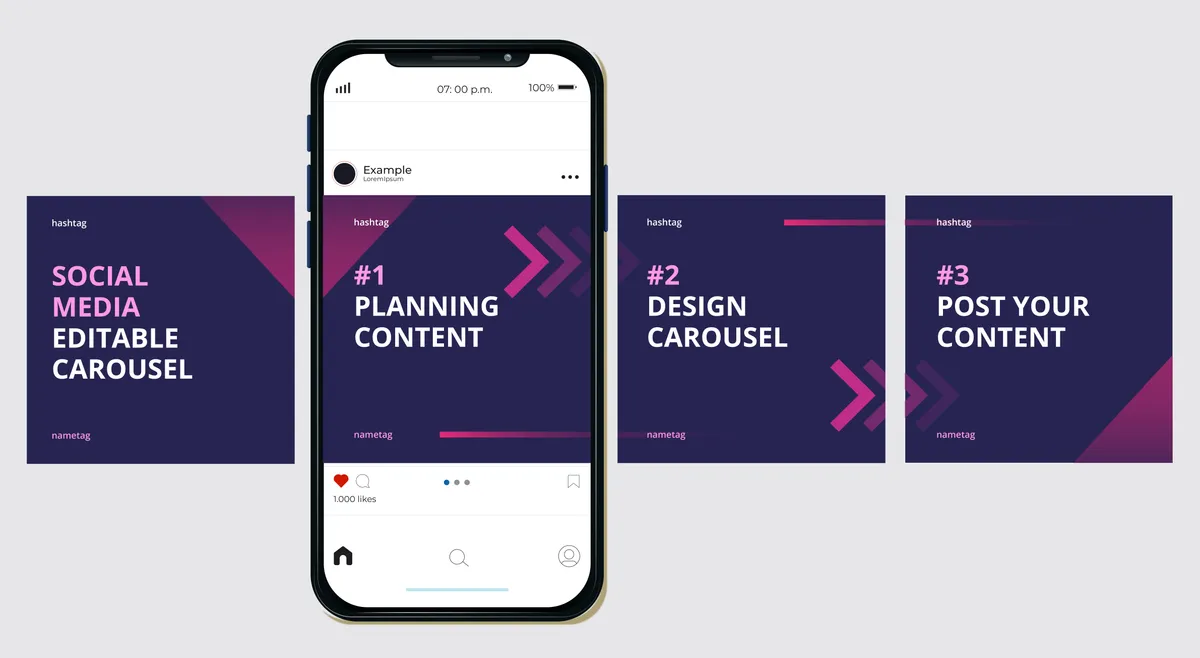
If you want to grow on Instagram today, carousel posts are one of the most powerful content formats you can use. They don’t just increase engagement — they multiply it. In fact, carousels consistently outperform single-image posts and sometimes even videos because they keep users swiping, interacting, and spending more time on your content.
But here’s the challenge:
👉 Many creators and brands don’t know how to design carousels that actually stop the scroll.
👉 Most carousels are cluttered, confusing, or too boring to keep attention.
If you want your content to stand out, you must master Instagram carousel design — the visual style, storytelling structure, and user experience that turns swipes into engagement, followers, and conversions.
In this guide, you’ll learn:
- What makes carousel posts so effective
- How to design high-performing carousel slides
- The best tools and templates
- Step-by-step carousel creation workflow
- Mistakes to avoid
- Examples and tips used by top creators
- How to optimize your carousels for reach and engagement
Let’s begin!
Why Carousel Posts Work So Well on Instagram
More Time Spent on Your Post
Instagram rewards content that keeps users engaged. Carousels encourage swiping — increasing time on post and boosting reach.
Multiple Opportunities to Deliver Value
With 10 slides, you can break down information step-by-step, making it digestible and more impactful.
More Saveable and Shareable
Educational carousels often get saved and shared because users want to revisit the content later.
Great for Storytelling
You can guide users through a narrative, transformation, process, or set of insights.
Understanding Instagram Carousel Design
Carousel design is not just about visuals — it’s about communication. Your design must:
- Attract attention
- Communicate clearly
- Guide the user
- Deliver value
- Encourage action
Here’s how to do it:
1. Start With a Strong Hook Slide
Why the First Slide Matters
Your first slide determines whether someone decides to swipe — or scroll past.
Characteristics of a good hook slide:
- Bold typography
- High contrast
- Clear value promise
- Minimal clutter
- Curiosity-building headline
Examples of strong hooks:
- “5 Mistakes Ruining Your Instagram Growth”
- “How I Gained 10,000 Followers in 30 Days”
- “The Only Content Strategy You Need in 2026”
2. Use a Clear, Linear Story Flow
Your carousel should feel like a journey, not a random collection of graphics.
Storyboard Your Carousel
Slide 1 – Hook
Slide 2 – Set the Context
Slides 3–8 – Main Content
Slide 9 – Summary
Slide 10 – Call to Action (CTA)
3. Apply Effective Design Principles
Use Consistent Branding
Maintain:
- Brand colors
- Fonts
- Layout style
Keep Text Minimal
Each slide should have:
- A headline
- 1–2 short points
- Supporting visuals
Typography Tips
- Use large, bold fonts for headlines
- Use readable sans-serif fonts
- Maintain good contrast
Spacing and Alignment
Never cram elements. Empty space improves readability.
Color Theory Basics
Use:
- Complementary color palettes
- High contrast
- Limited color combinations
4. Add Visual Hierarchy to Guide the Eye
Techniques:
- Larger text for key points
- Bold or colored highlights
- Arrows, icons, shapes
- Numbered steps
5. Use Images, Illustrations, and Icons
Examples:
- Before/after visuals
- Charts and graphs
- Icons
- Illustrations
- Screenshots
6. Use Swipe-Worthy Transitions
Techniques:
- Split-background transitions
- Overlapping shapes
- Cut-out images aligned across slides
- Full-width gradient continuity
7. Include CTAs Throughout the Carousel
Examples:
- “Swipe →”
- “Keep reading…”
- “Save this tip!”
- “More insights on the next slide”
Tools to Create Instagram Carousel Designs
Canva
User-friendly and template-rich.
Figma
Best for advanced designers.
Adobe Illustrator / Photoshop
Ideal for professional design needs.
VistaCreate and Snappa
Great alternatives with ready templates.
Carousel Content Types That Perform Best
1. Educational Carousels
Examples:
- “How to create a content calendar”
- “7 SEO tips for beginners”
2. Listicles
Example:
- “10 Tools Every Marketer Should Use”
3. Step-by-Step Guides
Example:
- “How to set up your first Facebook ad”
4. Myths vs. Facts
Great for engagement and saves.
5. Before vs. After
Shows transformations visually.
6. Story-Based Carousels
Builds emotional connection.
The Anatomy of a Perfect Instagram Carousel
Slide-by-Slide Breakdown
Slide 1: Hook
Slide 2: Problem
Slide 3: Why it matters
Slides 4–8: Tips / steps
Slide 9: Summary
Slide 10: CTA
Common Instagram Carousel Design Mistakes
- Too much text per slide
- Inconsistent branding
- Cluttered layouts
- Low contrast
- No clear storytelling
- Weak hook slide
- Poor typography
- Random slide order
- No CTA at the end
Optimizing Your Carousel for Maximum Reach
Use Relevant Hashtags
Mix:
- Niche hashtags
- Small-volume hashtags
- Medium-volume hashtags
Post at the Right Time
Identify when your audience is active.
Write Strong Captions
Pair your carousel with an eye-catching hook and CTA.
Encourage Comments
Ask:
- “Which tip was your favorite?”
- “Should I create a part 2?”
Engage With Comments Quickly
Boosts early engagement signals.
Short Summary
Instagram carousel design is a powerful way to deliver value, boost engagement, and grow your brand. With strong hooks, clean layouts, storytelling structure, and strategic CTAs, you can create carousels that people save, share, and engage with.
Conclusion
Carousels aren’t just another Instagram feature — they’re one of the platform’s most effective content formats for education, storytelling, and brand building. When you understand visual hierarchy, flow, typography, and user behavior, your carousel design becomes a magnetic experience people can’t help but swipe through.
Start with a strong hook. Deliver value slide after slide. End with a CTA that sparks action.
Master this formula, and your Instagram growth will accelerate.