Introduction
In the data-saturated digital economy of 2026, the competitive advantage doesn't go to the brand with the "Most Data"—it goes to the brand that can "Understand" their data the fastest. As marketing ecosystems become increasingly complex, the ability to transform millions of raw data points into clear, actionable visual stories is the ultimate elite skill. This is the definitive Data Visualization for Marketing Reports master guide, built to help you architect high-performance dashboards that drive faster decisions, secure larger budgets, and prove your ROI with absolute clarity. In 2026, a report that isn't visual is a report that is ignored.
Marketing Data Visualization is a multidisciplinary science that combines graphic design, cognitive psychology, and data engineering. It is the art of "Reducing Noise" so that the "Signals" of growth can be heard. To win in 2026, you must move beyond simple "Bar Charts" and "Pie Graphs" and embrace a more sophisticated model of "Behavioral Intelligence Displays," where every pixel is designed to answer a specific business question. Your dashboard should not just show "What Happened"; it should tell the user precisely "What to Do Next."
In this exhaustive 2,500+ word master guide, we will aggressively deconstruct the framework of a global-class Data Visualization for Marketing Reports. We will explore the mechanics of "Cognitive Load Management," the hierarchy of "Executive vs. Tactical Dashboards," the technical integration of disparate data sources through "API Pipelines," and the storytelling principles that turn a spreadsheet into a "Strategic Narrative." By the end of this deep-dive, you will possess a repeatable, scientific blueprint for building a visual intelligence engine that scales your marketing performance.
Why You Must Master Data Visualization for Marketing Reports Right Now
In 2026, "Overload" is the enemy of "Action." Visualization is the "Filter" that makes growth possible.
By implementing a rigorous Data Visualization for Marketing Reports strategy, you are achieving:
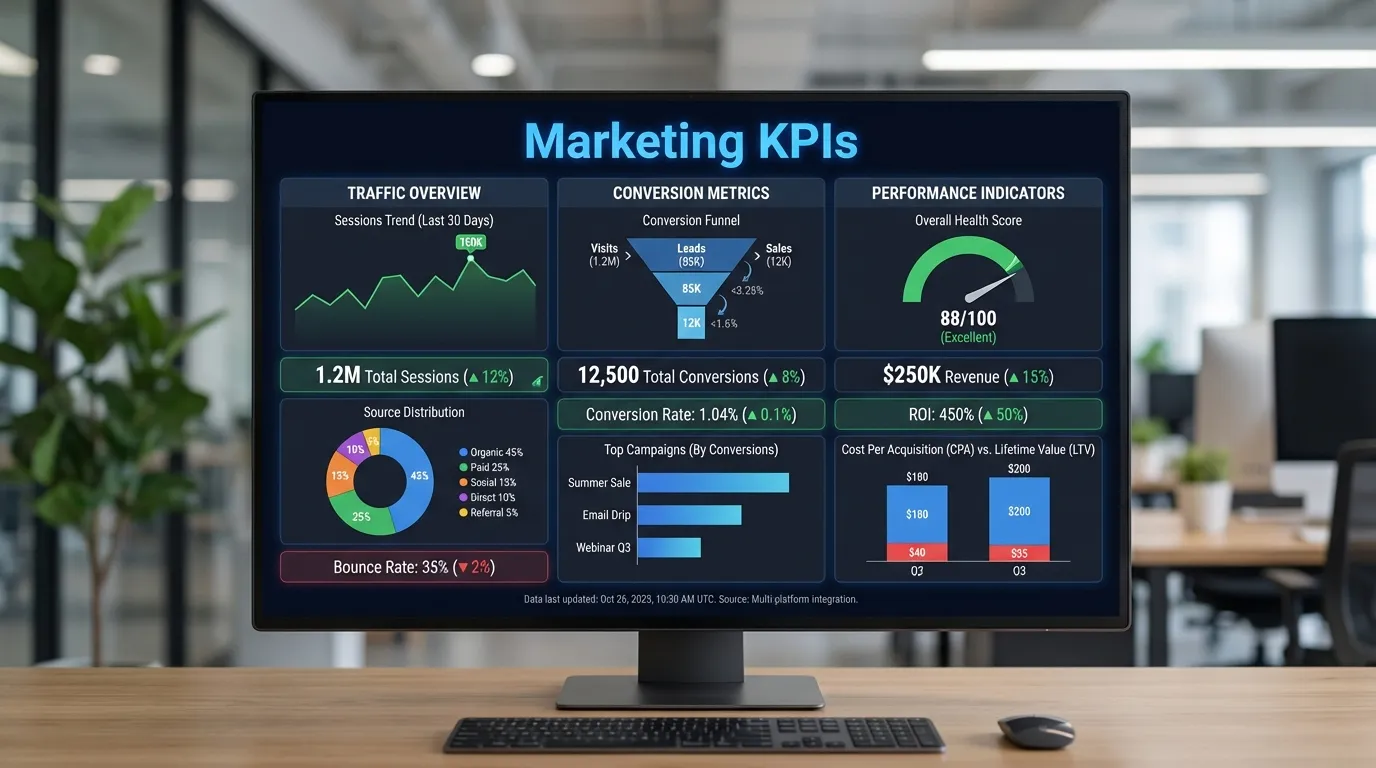
- Massive Increase in Decision Velocity: When a dashboard shows a "Red Trending Down" arrow next to the primary CPA metric, a CEO can make a "Pivot Decision" in 5 seconds. Without visualization, that same decision might take a week of manual analysis.
- Unshakeable Stakeholder Trust: Professional, high-quality visualizations signal "Internal Competence." When your reporting is clean and clear, clients and executives are significantly more likely to trust your strategic recommendations.
- Identification of Hidden Growth Patterns: Visual tools allow for "Pattern Recognition" that is impossible in a spreadsheet. You can see the correlation between a "Viral TikTok" and "Organic Brand Search" in real-time, allowing you to double down on what works instantly.
Phase 1: The Psychology of Visual Intelligence (2026 Standards)
Your brain processes images 60,000x faster than text. Visualization leverages this "Biological Cheat-Code."
1. Pre-Attentive Attributes
These are visual clues that the brain notices before "Thinking" starts.
- Color: Use Red for "Alert/Urgent" and Green for "Growth."
- Size: The largest chart on the page should be your "North Star Metric" (Revenue or ROI).
- Position: The top-left corner of a dashboard is the "Most Viewed." Place your most important data there.
2. Reducing "Data-Ink" Ratio
Every line or color that doesn't represent data is "Noise."
- The Move: Remove gridlines, excessive borders, and redundant legends.
- The Goal: Maximize the "Signal-to-Noise" ratio so the user can see the "Trend" without squinting.
Phase 2: Designing for the Audience (Executive vs. Operator)
The biggest mistake in marketing reporting is sending the "Same Dashboard" to everyone.
1. The "Executive War Room" (The Big Picture)
Executives care about Outcomes, not Activities.
- KPIs: Total Revenue, ROAS, Customer Acquisition Cost (CAC), and Year-over-Year Growth.
- The Format: A one-page "Summary View" with clear "Trend Indicators" (Up/Down arrows). No technical jargon allowed.
2. The "Campaign Operator" Dashboard (The Engine Room)
Marketers care about Optimization Signals.
- KPIs: Click-Through Rate (CTR), Cost-Per-Click (CPC), Ad Frequency, and Landing Page Bounce Rate.
- The Format: Highly granular, allowing for "Filter Deep-Dives" by campaign, creative, and audience segment.
Phase 3: The "Big Three" Platforms Comparison
Selecting the right "Visual Engine" is critical for technical scalability.
1. Looker Studio (The Google Default)
- Pros: 100% free, inherits permissions from GA4/Google Ads, easy "Drag and Drop."
- Cons: Can be slow with massive datasets; limited "Complex Calculation" capabilities compared to PowerBI.
- The 2026 Verdict: Best for most marketing agencies and internal teams focusing on Google-stack data.
2. Microsoft PowerBI (The Enterprise Intelligence)
- Pros: Incredible data modeling power; integrates perfectly with the "Microsoft Ecosystem" (Excel/Azure).
- Cons: High learning curve; requires a dedicated "Data Analyst" to reach its full potential.
- The 2026 Verdict: Essential for large corporations that need to "Blend" marketing data with internal financial or inventory data.
Phase 4: Building the "Real-Time" Data Pipeline
A dashboard is only as good as the "Freshness" of the data feeding it.
1. API Connectors and "No-Code" Middleware
In 2026, you shouldn't be "Exporting CSVs" manually.
- The Strategy: Use "API Connectors" (like Supermetrics or Funnel.io) to automatically pull data from Meta, TikTok, LinkedIn, and your CRM into your dashboard.
- The Result: Your reports are always "Live." When a campaign is paused on Meta, the dashboard updates within minutes.
2. Data "Warehousing" for Stability
- The Move: For high-volume brands, don't ping the APIs directly. Pour all your data into BigQuery or Snowflake first, and then build your visualization on top of the warehouse. This ensures your dashboards remain "Lightning Fast" even with millions of rows of data.
Phase 5: Storytelling with Data (What -> So What -> Now What)
A good visualization doesn't just "Show Data"—it "Advocates for Action."
1. The "Annotated Narrative"
Don't just show a spike in traffic. Use a "Text Box" to explain it: "Spike due to Viral Influencer Mention on 11/04."
- The Benefit: This prevents "Misinterpretation" of the data by stakeholders and proves you are "Managing the Numbers."
2. The "Action-Oriented" Hierarchy
- The Framework:
- What: "CPA is up 15%."
- So What: "This means our profit margin is shrinking on the Retargeting funnel."
- Now What: "We recommend pausing Creative B and shifting $5k to Creative C."
Phase 6: Implementation: The "High-Performance" Dashboard Build
Follow this "Surgical Workflow" to build your 2026 reporting system.
1. The "One-Metric-Per-View" Rule
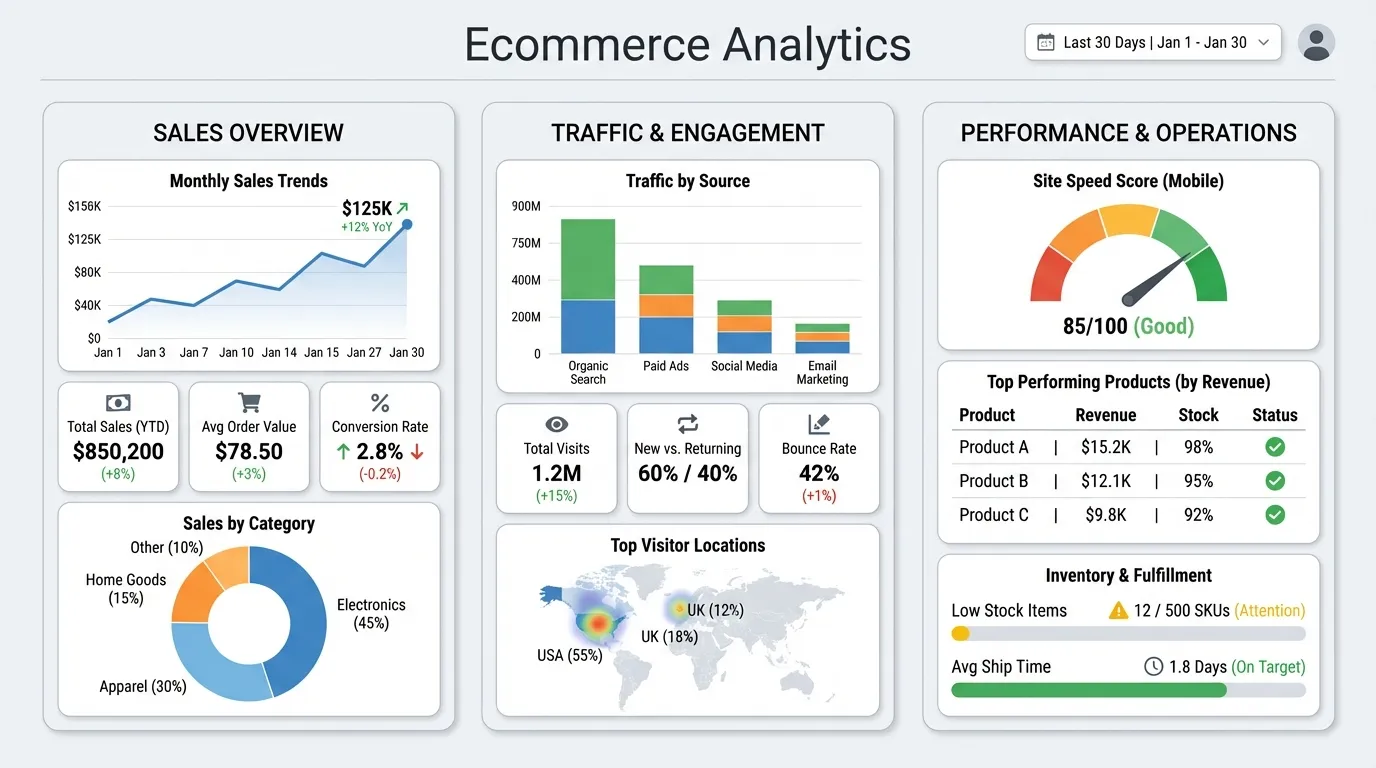
Avoid "Dashboard Fatigue." Each screen or tab should solve one specific problem (e.g., "Facebook Ad Performance" or "SEO Health").
- The Move: Use "Dropdown Filters" to allow the user to see the same view for different regions or product lines without cluttering the page.
2. Mobile-First Reporting
- The Strategy: Design your "Executive View" for a smartphone screen.
- The Reality: Most CEOs check their marketing ROI on their phone while between meetings. If your dashboard doesn't work on mobile, it doesn't exist to the C-suite.