
Introduction
Imagine writing hundreds of unit tests, feeling confident about your code coverage, only to later discover that critical bugs still slipped into production. Frustrating, right? This is exactly why traditional code coverage metrics can be misleading—because they measure quantity, not quality.
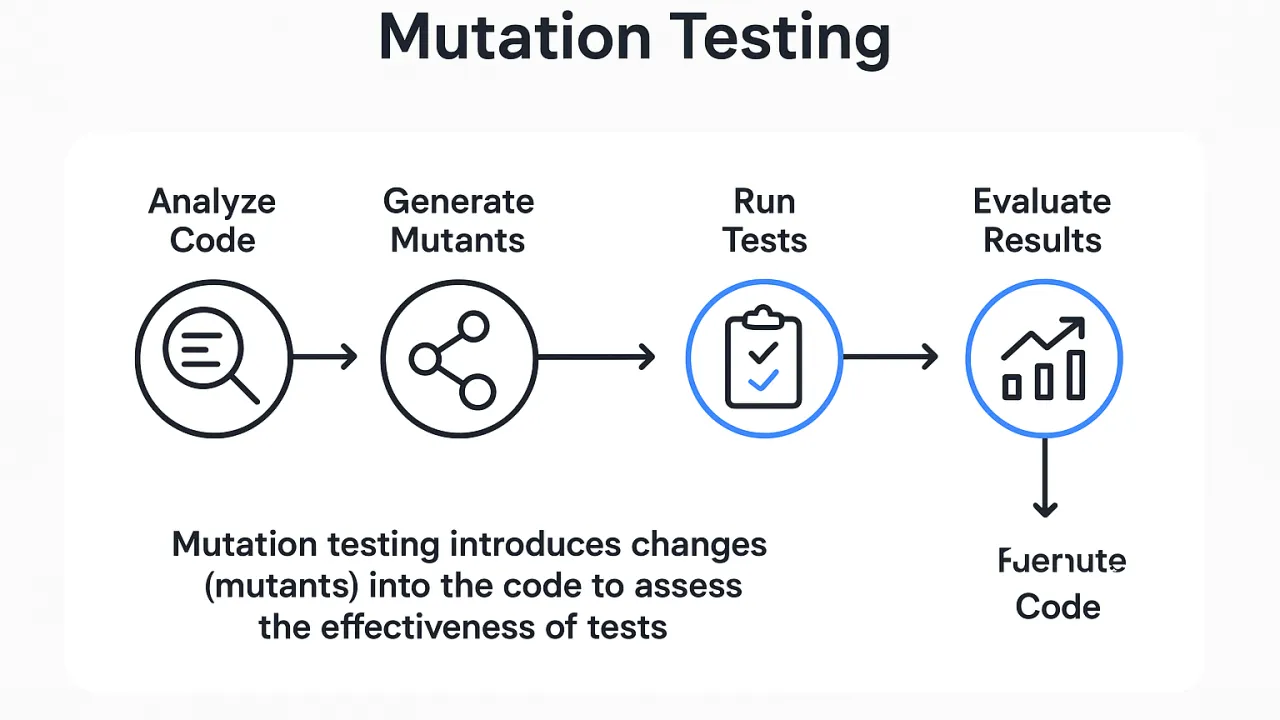
Enter mutation testing, a powerful technique that evaluates how effective your tests truly are. Unlike normal testing, mutation testing intentionally introduces bugs (called mutants) into your code to check whether your test suite can detect them. If your tests fail when expected, they’re strong. If they pass, you’ve just uncovered a weakness.
This guide will teach you everything you need to know about mutation testing, including:
- What mutation testing is and how it works
- Why it’s a game-changing strategy for software quality
- Comparison of top mutation testing tools
- Step-by-step examples
- Best practices and actionable insights
- FAQs, summary, metadata, references, and more
Whether you’re a beginner or an experienced QA engineer, this blog will help you understand why mutation testing is becoming essential in modern development.
Step 1: Generate Mutants
The mutation testing tool analyzes your code and makes tiny modifications like:
- Changing
>to>= - Replacing
+with- - Removing method calls
- Inverting conditions
Example mutation:
Original:
if (age > 18) return true;
Mutated:
if (age >= 18) return true;
Step 3: Observe the Results
✔ Mutant Killed
Tests fail → Good
✖ Mutant Survived
Tests pass → Weak test
| Metric | Measures | Reliable? |
|---|---|---|
| Code Coverage | Execution paths | ❌ Sometimes misleading |
| Mutation Score | Test effectiveness | ✅ Highly reliable |
Mutation testing shows how strong your tests really are.
- Improves test quality
- Detects weak or missing tests
- Highlights untested logic paths
- Helps measure actual bug-catching ability
- Reduces regressions
- Builds developer confidence
Popular Mutation Testing Tools
1. Stryker (JS, TS, Java, .NET)
A leading mutation testing framework.
Features:
- Supports multiple languages
- Detailed reports
- Fast incremental mutation
- Parallel execution
3. MutPy (Python)
Python-based mutation engine.
5. Cosmic Ray (Python)
Distributed mutation testing.
How to Add Mutation Testing to Your Workflow
✔ Step 1: Strengthen Unit Tests First
Baseline quality is essential.
✔ Step 2: Install a Mutation Tool
Example (JS):
npm install --save-dev @stryker-mutator/core
✔ Step 3: Run the Mutation Tests
npx stryker run
✔ Step 4: Review Mutation Score
✔ Step 5: Improve Weak Tests
✔ Step 6: Automate Through CI/CD
Short Summary
Mutation testing evaluates test effectiveness by introducing small faults to your code and checking whether your tests detect them. Tools like Stryker, PIT, Mutant, and MutPy empower teams to build strong test suites and drastically reduce bugs.
FAQs
1. What is mutation testing used for?
Measuring the strength of unit tests by introducing intentional code changes.
2. What are mutation testing tools?
Tools like Stryker, PIT, MutPy, and Mutant generate and evaluate mutants.
3. Is mutation testing better than code coverage?
Yes—because mutation testing measures quality, not quantity.
4. What languages support mutation testing?
JavaScript, Python, Java, Ruby, .NET, Scala, PHP, and more.
5. What is a good mutation score?
Typically 70–85%.
References (Wikipedia)
https://en.wikipedia.org/wiki/Mutation_testing
https://en.wikipedia.org/wiki/Software_testing
https://en.wikipedia.org/wiki/Unit_testing
https://en.wikipedia.org/wiki/Code_coverage
https://en.wikipedia.org/wiki/Static_program_analysis


