
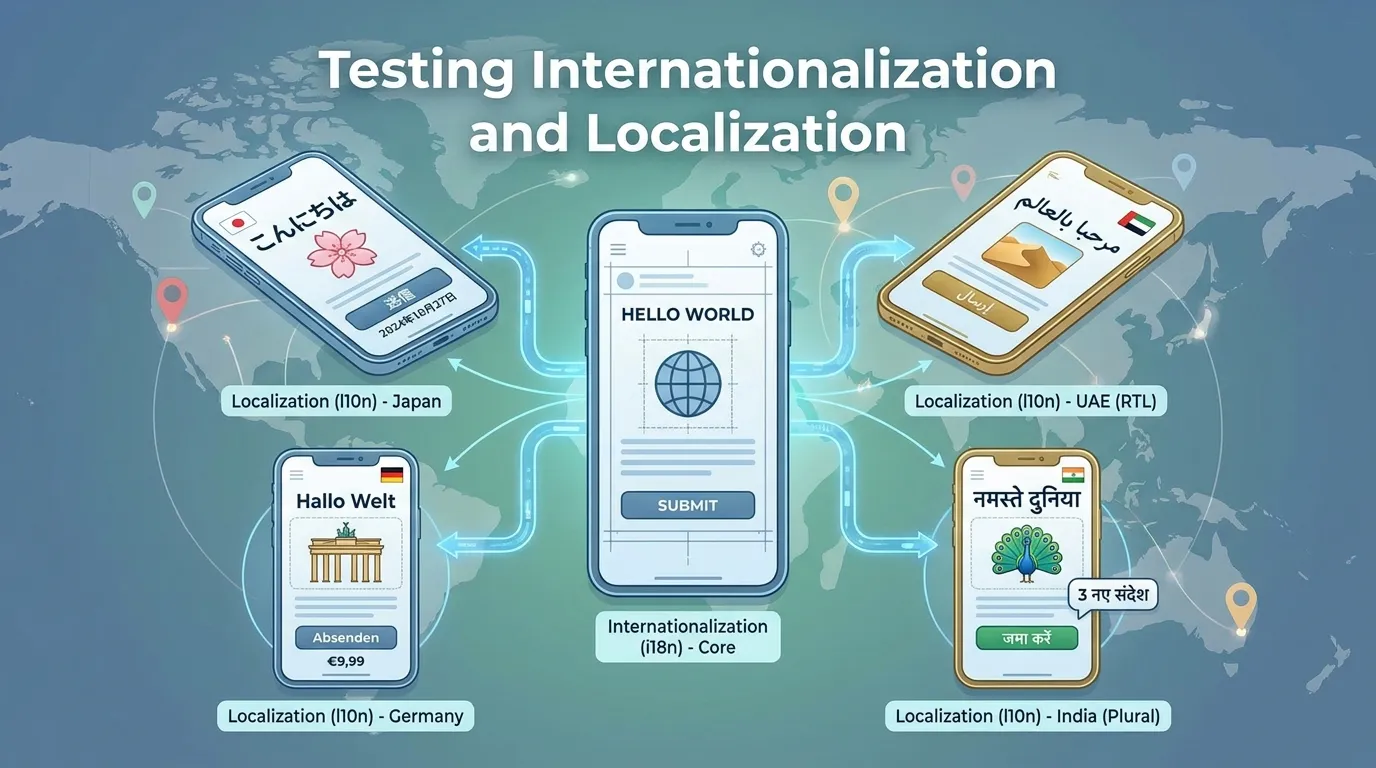
Testing Internationalization and Localization: A Comprehensive Guide
In today’s hyper-connected global economy, software is no longer confined by geographical borders. A successful mobile app or SaaS platform often starts in one region and rapidly expands across continents. However, reaching a global audience involves much more than simply translating text from English into Spanish or Chinese. It requires a fundamental technical shift in how software handles cultural nuances, regional formats, and linguistic complexity.
This process is divided into two distinct but overlapping disciplines: Internationalization (i18n) and Localization (l10n). Neglecting either can lead to catastrophic user experiences, from broken layouts and garbled text to culturally offensive imagery and unusable payment systems. In this guide, we will explore the strategies, tools, and best practices for testing internationalization and localization to ensure your product feels native to every user, regardless of their language or location.
The Difference Between i18n and l10n
Before diving into testing, it is critical to distinguish between the two pillars of global software preparation.
1. Internationalization (i18n)
Internationalization is the architectural process of designing and developing a software application so that it can be adapted to various languages and regions without engineering changes.
- Goal: To ensure the code is "globalization-ready."
- Key Tasks: Externalizing strings, supporting Unicode (UTF-8), and creating flexible UI layouts that can handle varying text lengths.
2. Localization (l10n)
Localization is the adaptation of the internationalized software for a specific region or language by adding locale-specific components and translating text.
- Goal: To make the software feel like it was created specifically for the target market.
- Key Tasks: Translating content, formatting dates/currencies, and adjusting cultural symbols or colors.
Core Challenges in Global Testing
Testing globalized software introduces unique technical and cultural complexities that traditional QA cycles often overlook.
1. The "Accordion Effect" (Text Expansion)
Text length varies wildly between languages. For example, a button labeled "Save" in English becomes "Speichern" in German—a 125% increase in length. If the UI is rigid, this causes text to overlap elements or get truncated.
2. Right-to-Left (RTL) Layouts
Languages like Arabic and Hebrew are read from right to left. Localizing for these regions isn't just about text; the entire UI must be mirrored, including navigation bars, icons, and progress indicators.
3. Culture-Specific Functionality
Software behavior often needs to change based on the locale. This includes:
- Address Formats: Zip codes vs. Postal codes, state vs. province.
- Calendars: Gregorian vs. Hijri vs. Buddhist calendars.
- Sorting Logic: Alphabetical sorting differs between languages (e.g., how "ö" is treated in Swedish vs. German).
Key Strategies for Internationalization Testing
i18n testing focuses on the source code and its ability to handle any locale.
Pseudo-Localization: The Secret Weapon
One of the most effective ways to test i18n without waiting for translations is pseudo-localization. Tools generate a fake "translation" of your English strings that:
- Adds accent marks (e.g., "Sâvé") to test Unicode support.
- Lengthens the string by 30-50% to test UI flexibility.
- Wraps strings in brackets (e.g., "[Sâvé_extended]") to identify hardcoded text that hasn't been externalized.
Data Handling and Encoding
Verification must ensure that the application supports UTF-8 encoding across all layers—database, API, and UI. This prevents the dreaded "Mojibake" (garbled text or square boxes) when users input special characters like "ñ" or "ç".
Strategies for Localization Testing
L10n testing focuses on the linguistic and cultural accuracy of the adapted product.
1. Linguistic Verification
Professional linguists must review the software in context. A word might be translated correctly in a spreadsheet but look wrong on a button. This phase ensures:
- Grammatical correctness.
- Consistent terminology and "voice."
- Appropriate tone for the target market.
2. Functional Localization Testing
This ensures that the software actually works in the target locale. Key checkpoints include:
- Currencies: Correct symbols and decimal placements (e.g., $1,000.00 vs. 1.000,00 €).
- Date/Time Formats: MM/DD/YYYY vs. DD/MM/YYYY vs. YYYY/MM/DD.
- Contact Information: Verification of local phone number formats and address validation logic.
3. Cultural Sensitivity Review
Imagery and color symbolism differ across cultures. For instance, white represents purity in Western cultures but mourning in parts of Asia. A localized test must flag potentially offensive content or icons that don't make sense (e.g., using a US-style mailbox icon for "Mail" in the UK).
Essential Tools for Internationalization and Localization
Automating global testing is difficult but necessary to maintain speed in continuous delivery pipelines.
- Applitools (Visual AI): As discussed in previous guides, visual AI is invaluable for detecting UI regressions caused by text expansion or RTL mirroring.
- Lokalise / Phrase: Modern Translation Management Systems (TMS) that integrate with GitHub to automate the flow of strings between developers and translators.
- BrowserStack / Sauce Labs: Used to test how different OS versions and localized browsers render text and layouts.
- Global App Testing: A crowd-testing platform that provides access to real users in target countries to perform localized functional and linguistic testing.
Summary
- Differentiate i18n and l10n: Architecture vs. Adaptation.
- Use Pseudo-Localization: Test UI flexibility and Unicode support immediately.
- Verify RTL Support: Mirror layouts for Arabic and Hebrew locales.
- Audit Regional Formats: Dates, currencies, and phone numbers must be locale-aware.
- Linguistic Context is King: Review translations inside the application, not just in spreadsheets.
- Cultural Awareness: Imagery and colors should be tailored to avoid offense.
Conclusion
Building global software is a massive business opportunity, but it demands a disciplined approach to Quality Assurance. By prioritizing internationalization during the development phase and executing rigorous localization testing before launch, organizations can deliver seamless experiences that feel truly native. Whether it's managing the "Accordion Effect" of German text or the RTL challenges of the Middle East, a robust i18n/l10n strategy ensures that your software speaks every user's language.
FAQs
1. When should we start i18n testing? Immediately. Internationalization testing should happen as soon as the first feature is developed. Waiting until "localization phase" is too late and results in expensive code refactoring.
2. Is Google Translate enough for localization? No. Machine translation (MT) has improved, but it lacks cultural context and brand voice. MT can be a starting point, but professional human review is essential for quality products.
3. What is the most common i18n bug? Hardcoded strings. Developers often forget to wrap text in a translation key, causing English text to appear in a localized version.
4. How do you test Right-to-Left (RTL) locales?
Use CSS tools like dir="rtl" and ensure your automated visual tests can detect if icons or alignment aren't correctly mirrored.
5. What is Unicode support? It is the ability of software to handle characters from almost every writing system in the world (UTF-8). Without it, non-Latin characters will appear as broken symbols.
6. Do we need local devices for localization testing? Not necessarily. Cloud device farms (like BrowserStack) allow you to change the OS language and region settings on real devices to simulate any locale.
7. How does localization affect SEO?
Localized content requires specific technical SEO, such as hreflang tags, to ensure search engines serve the correct version to the correct audience.
8. What is "Double Translation" testing? A technique where a localized string is translated back into the source language to check for errors or lost meaning.
9. Can we automate localization testing? Functional aspects (dates, currencies) can be automated using unit tests. However, linguistic flow and cultural appropriateness still require human eyes.


