
Introduction
In the world of automated testing, repetition is the enemy. If you find yourself copying and pasting the same set of instructions across multiple test files—like logging in, filling out a complex form, or formatting a date—you're creating a maintenance nightmare. A single change in your application's UI would require you to hunt down and update every instance of that repeated code.
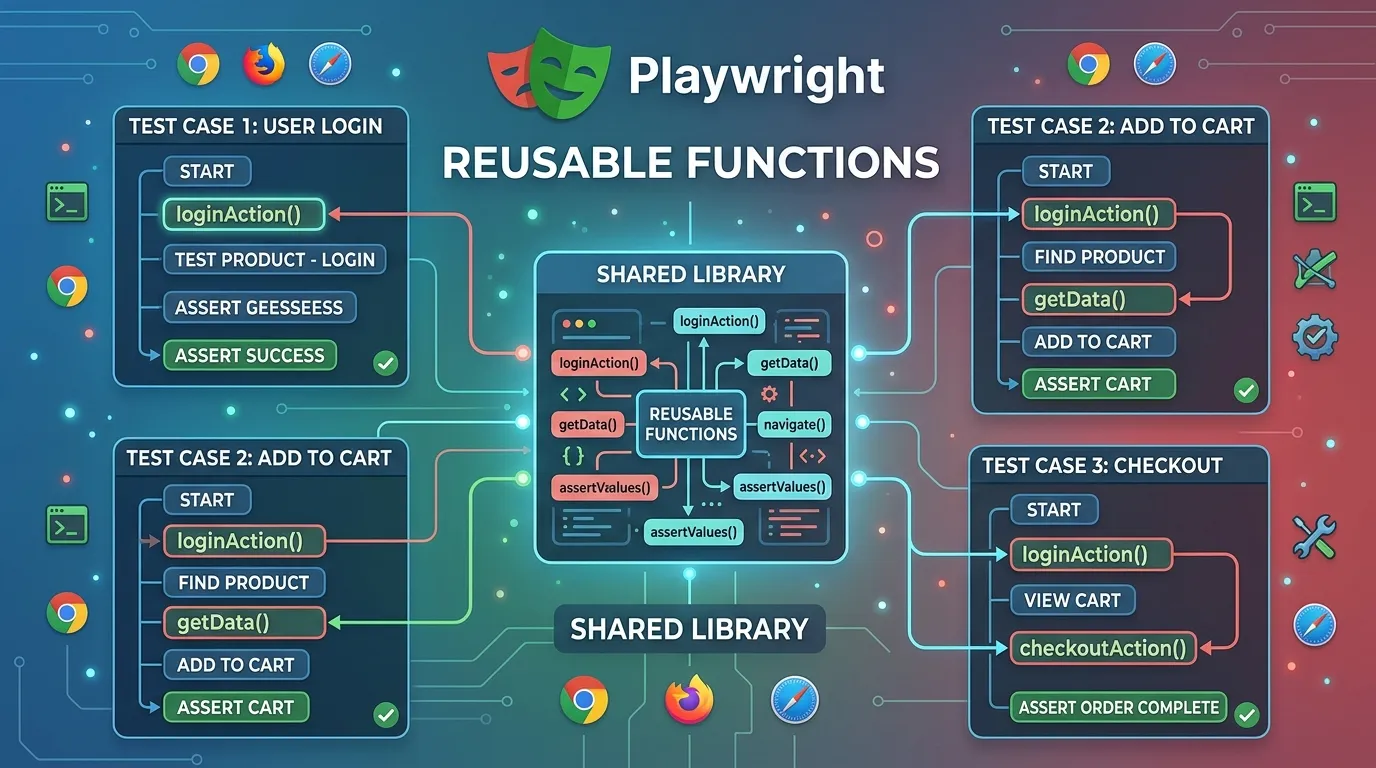
This is where Reusable Functions come in. By centralizing common actions into a dedicated library, you make your tests more readable, easier to maintain, and significantly faster to write. In this guide, we'll explore the various ways to implement reusable functions in Playwright in 2026.
Why Reusable Functions?
The "Don't Repeat Yourself" (DRY) principle isn't just for application developers; it's essential for automation engineers too.
- Maintainability: Update the logic in one place, and it propagates everywhere.
- Readability: Instead of seeing 10 lines of
fill()andclick(), you see a single call likeawait login(page, user). - Speed: New tests can be built quickly by combining existing "building blocks."
- Consistency: Ensures that all tests perform an action exactly the same way.
1. Creating a Helper Library
The simplest way to implement reusability is by creating a helpers.ts or utils.ts file.
Example: A Shared Login Function
// utils/auth.ts
export async function login(page: Page, user: string, pass: string) {
  await page.goto('/login');
  await page.fill('#username', user);
  await page.fill('#password', pass);
  await page.click('#submit-btn');
  await expect(page).toHaveURL('/dashboard');
}
Using the Function in a Test:
import { login } from '../utils/auth';

test('Should see user profile after login', async ({ page }) => {
  await login(page, 'testuser', 'secret123');
  // ... proceed with test ...
});
2. Reusable Functions in Page Object Models (POM)
While standalone functions are great for general tasks, business actions should be encapsulated inside your Page Objects.
// pages/CartPage.ts
export class CartPage {
  constructor(private page: Page) {}

  async checkout(promoCode?: string) {
    if (promoCode) {
      await this.page.fill('#promo', promoCode);
      await this.page.click('#apply-promo');
    }
    await this.page.click('#checkout-button');
  }
}
3. Custom Data Generation
Avoid hardcoding values in your tests. Create reusable functions that generate dynamic data using libraries like faker.js.
// utils/data.ts
import { faker } from '@faker-js/faker';

export function createRandomUser() {
  return {
    firstName: faker.person.firstName(),
    email: faker.internet.email(),
  };
}
4. Playwright Fixtures: The Ultimate Reusability
For even more powerful reusability, use Fixtures. Instead of manually calling a login function in every test, you can create an authenticatedPage fixture that does it automatically when "injected" into a test.
Best Practices for Reusable Code
- Keep it Generic: Avoid hardcoding selectors inside a general utility function; pass them as arguments if necessary.
- Handle Errors: Ensure your reusable functions have proper wait logic and error messages.
- Document Your Code: Add short JSDoc comments to your functions so other engineers know what they do.
- Don't Over-Engineer: If a function only solves a problem for a single test, it might not need to be global yet.
Conclusion
Reusable functions are the building blocks of a professional automation suite. By investing time early in building a robust library of helpers, actions, and data generators, you'll save yourself countless hours of frustration and maintenance down the road. In the fast-moving world of 2026, efficiency and consistency are the keys to successful automation.
Frequently Asked Questions
Common places include a /utils or /lib folder at the root of your project or inside your /pages folder if they are page-specific.



