
Introduction
Imagine pushing your code to GitHub and within minutes getting a full report telling you whether your application works perfectly—or not. No manual testing, no delays, no guesswork. That’s the power of combining automation with CI/CD.
In modern development, speed and reliability are everything. Teams release features rapidly, and testing needs to keep up. This is where playwright github actions becomes a powerful solution.
Playwright allows you to automate browser testing, while GitHub Actions enables you to run those tests automatically on every code change. Together, they create a seamless workflow that ensures your application is always tested before deployment.
In this complete guide on Playwright with GitHub Actions, you will learn:
- What GitHub Actions is and why it matters
- How playwright github actions works
- Step-by-step setup for Playwright in GitHub Actions
- Real-world examples and configurations
- Best practices for scalable automation
Whether you are a student, developer, or QA engineer, this guide will help you integrate Playwright into your CI/CD pipeline effectively.
Using playwright github actions provides several advantages.
Automated Testing
Tests run automatically on every push or pull request.
Faster Feedback
Developers get immediate test results.
Improved Code Quality
Bugs are detected early.
Seamless Integration
Works directly within GitHub repositories.
The process is simple and efficient.
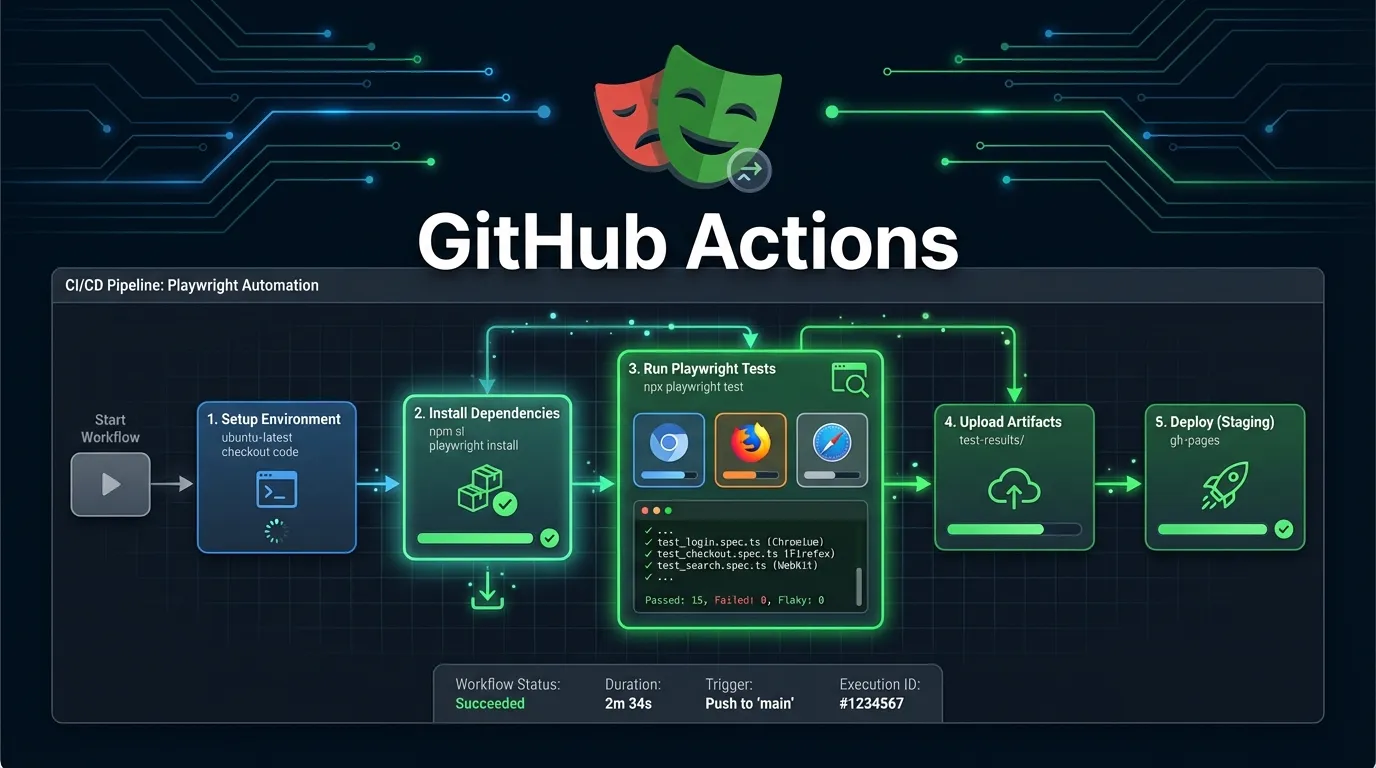
Workflow Overview
1 Developer pushes code
2 GitHub Actions workflow triggers
3 Playwright tests run
4 Results are generated
5 Deployment continues if tests pass
This creates a fully automated testing pipeline.
Create a file:
.github workflows playwright.yml
Basic Workflow Example
name: Playwright Tests

on:
  push:
    branches: [ main ]
  pull_request:

jobs:
  test:
    runs-on: ubuntu-latest

    steps:
      - uses: actions checkout@v3

      - uses: actions setup-node@v3
        with:
          node-version: 18

      - run: npm install
      - run: npx playwright install
      - run: npx playwright test
GitHub Actions runs in headless mode by default.
npx playwright test --headless
Benefits
- Faster execution
- No UI needed
- Ideal for CI environments
Generating Test Reports in GitHub Actions
Playwright provides detailed reports.
npx playwright show-report
You can also upload reports as artifacts.
Handling Test Failures
Failures should stop deployment.
Best Practices
- Fail pipeline on errors
- Capture logs and screenshots
- Notify team members
Environment Variables in GitHub Actions
Use environment variables for sensitive data.
env:
  BASE_URL: https://example.com
Benefits
- Secure configuration
- Flexible environments
Real World Example Workflow
Scenario:
- Developer pushes code
- GitHub Actions runs tests
- Tests pass
- Deployment continues
If tests fail:
- Deployment stops
- Team is notified
Best Practices for Playwright GitHub Actions
Run Tests Frequently
Run tests on every push and pull request.
Keep Tests Fast
Avoid unnecessary delays.
Use Retry Mechanism
Handle flaky tests.
Store Logs and Reports
Essential for debugging.
Use Separate Environments
Avoid production interference.
Short Summary
Playwright GitHub Actions integration automates testing within GitHub workflows, ensuring that every code change is validated quickly and efficiently.
FAQs
What is Playwright GitHub Actions
It is the integration of Playwright tests within GitHub Actions workflows.
Can Playwright run in GitHub Actions
Yes it runs in headless mode in CI environments.
Why use Playwright with GitHub Actions
It automates testing and improves code quality.
Can Playwright run parallel tests in GitHub Actions
Yes using workers configuration.
Is GitHub Actions free
GitHub Actions provides free usage with limits.


