
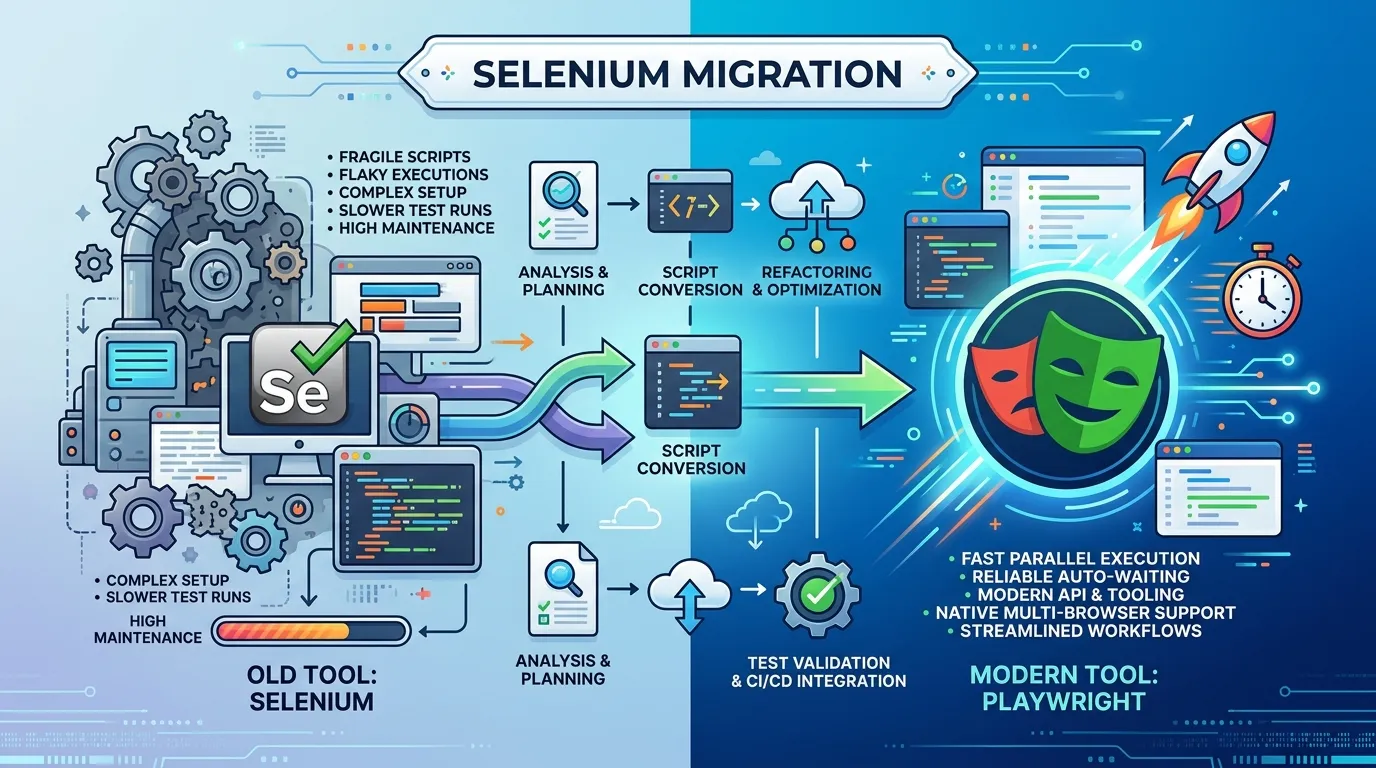
Introduction
Automation testing has become the backbone of modern software development. With companies releasing updates frequently and users expecting flawless performance, manual testing alone is no longer enough. Organizations now rely heavily on automation tools to test applications faster, more accurately, and across multiple browsers.
Two of the most talked-about tools in this space are Playwright and Selenium. If you are entering the field of automation testing or looking to upgrade your testing stack, you have probably encountered the debate: playwright vs selenium.
Selenium has been the industry standard for more than a decade. It has powered thousands of automation frameworks and is widely used by companies across the world. However, Playwright, a newer tool developed by Microsoft, has quickly gained popularity for its modern architecture and powerful capabilities.
So which tool is better
In this complete comparison guide, you will learn
- What Playwright and Selenium are
- Key differences between playwright vs selenium
- Advantages and limitations of both tools
- Real world use cases
- Performance comparisons
- When to choose Playwright or Selenium
By the end of this article, you will have a clear understanding of which automation tool is best suited for your projects.
What Is Selenium
Selenium is one of the most widely used web automation frameworks for testing web applications. It was introduced in 2004 and quickly became the standard tool for browser automation.
Selenium allows testers to simulate real user actions inside browsers. These actions include
- Clicking buttons
- Filling forms
- Navigating between pages
- Validating UI elements
- Submitting data
Because Selenium works with multiple browsers and programming languages, it has become a flexible solution for automation testing.
Key Components of Selenium
Selenium is not just a single tool. It includes several components that work together.
Selenium WebDriver
Selenium WebDriver is the core component used to control web browsers programmatically.
It allows automation scripts to interact with browser elements just like a real user.
Selenium Grid
Selenium Grid enables running automated tests across multiple machines and browsers simultaneously.
This is especially useful for large scale testing environments.
Selenium IDE
Selenium IDE is a browser extension that allows testers to record and playback automation scripts.
It is commonly used by beginners to learn automation testing.
Programming Languages Supported by Selenium
One of Selenium biggest advantages is its language flexibility.
Selenium supports
- Java
- Python
- JavaScript
- C#
- Ruby
Because of this flexibility Selenium can be used in many development environments.
What Is Playwright
Playwright is a modern automation testing framework developed by Microsoft and released in 2020.
It was designed to overcome some limitations of older automation tools and support modern web applications more effectively.
Playwright allows testers to automate interactions across multiple browsers using a single API.
Browsers Supported by Playwright
Playwright supports three major browser engines
- Chromium
- Firefox
- WebKit
This means Playwright can run tests across
- Google Chrome
- Microsoft Edge
- Mozilla Firefox
- Safari environments
Programming Languages Supported by Playwright
Playwright supports multiple programming languages including
- JavaScript
- TypeScript
- Python
- Java
- .NET
Because of its modern architecture Playwright works very well with dynamic applications built using frameworks like React Angular and Vue.
Playwright vs Selenium Key Differences
Understanding the major differences between playwright vs selenium helps determine which tool is best for automation testing.
Feature Playwright Selenium
Release Year 2020 2004 Architecture Modern Traditional Speed Faster Slower Auto Waiting Built in Requires manual waits Parallel Testing Built in Requires configuration Cross Browser Testing Native support Supported but complex setup Community Size Growing Very large
Both tools are capable of automation testing but they differ significantly in architecture and performance.
Architecture Comparison
Selenium Architecture
Selenium uses a client server architecture.
Automation scripts communicate with browser drivers such as
- ChromeDriver
- GeckoDriver
- EdgeDriver
These drivers then communicate with the browser.
The process works like this
Test Script → WebDriver → Browser Driver → Browser
This additional layer sometimes increases communication delays.
Playwright Architecture
Playwright communicates directly with browsers using a single WebSocket connection.
This architecture reduces communication overhead and improves performance.
Because of this design Playwright often runs tests faster than Selenium.
Performance Comparison
Performance is a major factor in the playwright vs selenium comparison.
Selenium Performance
Selenium can sometimes be slower due to
- Driver communication delays
- Manual wait conditions
- External configurations
Large test suites may take longer to execute.
Playwright Performance
Playwright offers better performance because
- It includes built in auto waiting
- It supports parallel execution
- It communicates directly with browsers
For teams running thousands of tests Playwright can significantly reduce execution time.
Handling Modern Web Applications
Modern web applications rely heavily on JavaScript frameworks.
Examples include
- React
- Angular
- Vue
These frameworks generate dynamic content that changes frequently.
Selenium Challenges
Selenium often requires explicit waits to handle dynamic elements.
This increases the complexity of automation scripts.
Playwright Advantage
Playwright automatically waits for elements to load before performing actions.
This reduces flaky tests and improves reliability.
Cross Browser Testing
Testing applications across multiple browsers is essential.
Selenium Cross Browser Testing
Selenium supports many browsers including
- Chrome
- Firefox
- Edge
- Safari
However setting up cross browser environments often requires additional configuration.
Playwright Cross Browser Testing
Playwright simplifies cross browser testing by providing built in support for multiple browser engines.
A single script can run across different browsers without major configuration changes.
Ease of Setup
Selenium Setup
Setting up Selenium usually involves multiple steps.
Typical setup process
1 Install programming language dependencies 2 Download browser drivers 3 Configure WebDriver 4 Configure testing frameworks
For beginners this setup can be complicated.
Playwright Setup
Playwright setup is simpler.
Typical installation steps
1 Install Node.js 2 Install Playwright package 3 Install browsers
Playwright automatically downloads the required browser binaries.
Debugging and Reporting
Debugging failed tests is an important part of automation testing.
Selenium Debugging
Selenium often relies on external tools for logging and reporting.
Developers may need additional frameworks to analyze failures.
Playwright Debugging
Playwright includes powerful debugging features such as
- Automatic screenshots
- Video recordings
- Trace viewer
- Detailed logs
These tools help testers quickly identify issues.
Real World Example
Imagine testing a login workflow.
Automation steps might include
1 Open browser 2 Navigate to login page 3 Enter username 4 Enter password 5 Click login 6 Verify dashboard loads
Both Selenium and Playwright can automate these steps.
However Playwright usually requires fewer wait commands and configuration steps.
When to Use Selenium
Despite the rise of Playwright Selenium is still widely used.
You should consider Selenium when
- Working with legacy automation frameworks
- Your organization already uses Selenium Grid
- You need support for many programming languages
- You require extensive community resources
When to Use Playwright
Playwright is ideal for modern testing environments.
Use Playwright when
- Testing modern web applications
- You want faster test execution
- You prefer built in automation features
- You want simpler cross browser testing
Short Summary
The comparison of playwright vs selenium highlights the strengths of both tools.
Key takeaways include
- Selenium is older and widely adopted
- Playwright is newer with modern architecture
- Playwright offers faster execution and auto waiting
- Selenium provides a large ecosystem and community support
Choosing the right tool depends on project requirements and team experience.
Conclusion
Automation testing plays a vital role in ensuring software quality. As development cycles become shorter the demand for reliable automation tools continues to grow.
Selenium has been the foundation of automation testing for many years and remains widely used across industries.
However Playwright is quickly gaining traction due to its modern architecture powerful debugging tools and faster execution.
When comparing playwright vs selenium Playwright often provides a better experience for testing modern web applications while Selenium continues to be valuable for legacy systems and large enterprise environments.
For anyone entering automation testing today learning both tools can provide a strong foundation and open many career opportunities.
Frequently Asked Questions
The main difference is architecture. Playwright uses a modern browser communication model while Selenium relies on browser drivers.


