
Introduction
Welcome to the exciting world of Playwright! If you're a tester looking to transition from manual to automated testing, or if you're exploring modern alternatives to Selenium, you've come to the right place. Playwright is a powerful, open-source automation library from Microsoft that has taken the industry by storm with its speed, reliability, and developer-friendly features.
In this guide, we'll walk you through everything you need to know to get started with Playwright in 2026. From setting up your environment to writing and running your first test, we'll provide a clear and practical path for your learning journey.
Why Choose Playwright as Your First Automation Tool?
- Modern Architecture: Playwright interacts directly with browser engines, making it faster and more stable than legacy tools.
- Simplified Setup: You can get up and running with a single command. No more managing separate driver binaries.
- Cross-Browser Support: Write a test once and run it on Chrome, Edge, Safari, and Firefox.
- Resilient Locators: Playwright's "Web-First" approach means your tests are less likely to break when the UI changes.
Getting Started: Your First Steps
1. Installation
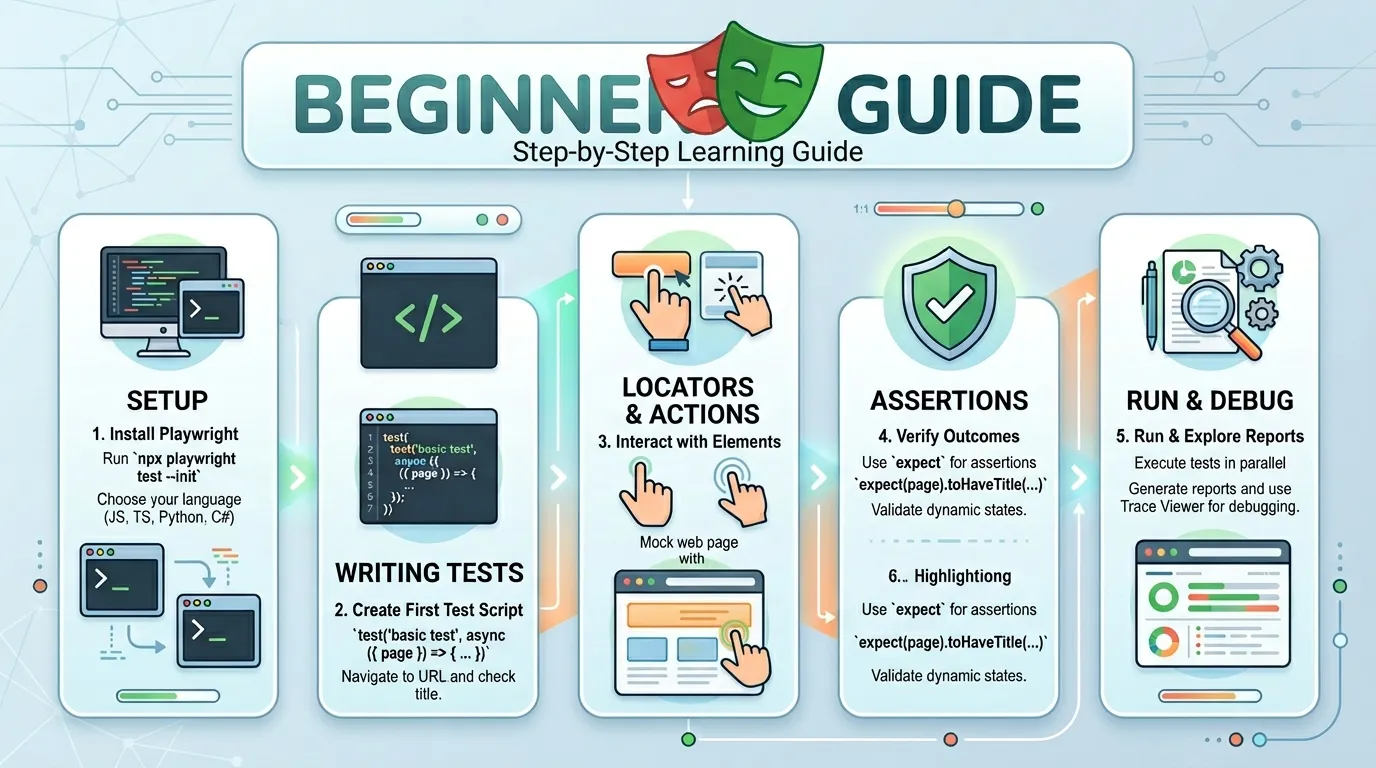
The easiest way to start is with the npm init playwright command. It will set up everything you need, including a sample test and configuration file.
npm init playwright@latest
2. Understanding the Project Structure
playwright.config.ts: This is the brain of your project. It's where you define which browsers to use, where to save reports, and how to handle parallelism.tests/: This folder is where all your.spec.tsfiles (your test scripts) live.
Writing Your First Test Script
A Playwright test is simple and readable. Let's write a test that navigates to a login page and verifies the title.
import { test, expect } from '@playwright/test';

test('Should verify the login page title', async ({ page }) => {
  await page.goto('https://myapp.com/login');
  await expect(page).toHaveTitle(/Login/);
});
Breaking It Down:
test: Defing the test case.page: A fixture that represents a single browser tab.await: Since browser interactions are asynchronous, we useawaitto ensure each action completes before the next one starts.expect: An assertion that verifies a specific condition is met.
Running and Debugging Your Tests
- Running Tests: Use
npx playwright testto run all your tests in the background (headless mode). - Headed Mode: Use
--headedif you want to see the browser in action. - The Trace Viewer: If a test fails, Playwright generates a trace file that shows you exactly what happened, with screenshots and network logs.
Core Features You'll Love
- Auto-waiting: Playwright waits for elements to be ready before it clicks them. No more
Sleep(5000). - Screenshots: Automatically take screenshots on failure to help with debugging.
- API Testing: You can also use Playwright to test your backend APIs, all within the same framework.
Conclusion
Playwright is more than just a tool; it's a doorway to a more efficient and rewarding way of testing. By following this guide, you've taken the first step toward becoming a modern QA engineer. Remember, the key to success is practice. Start small, build consistently, and don't be afraid to explore Playwright's extensive documentation and community resources.
Frequently Asked Questions
While some basic understanding is helpful, Playwright's clear and intuitive API makes it very beginner-friendly for those with a testing background.



