
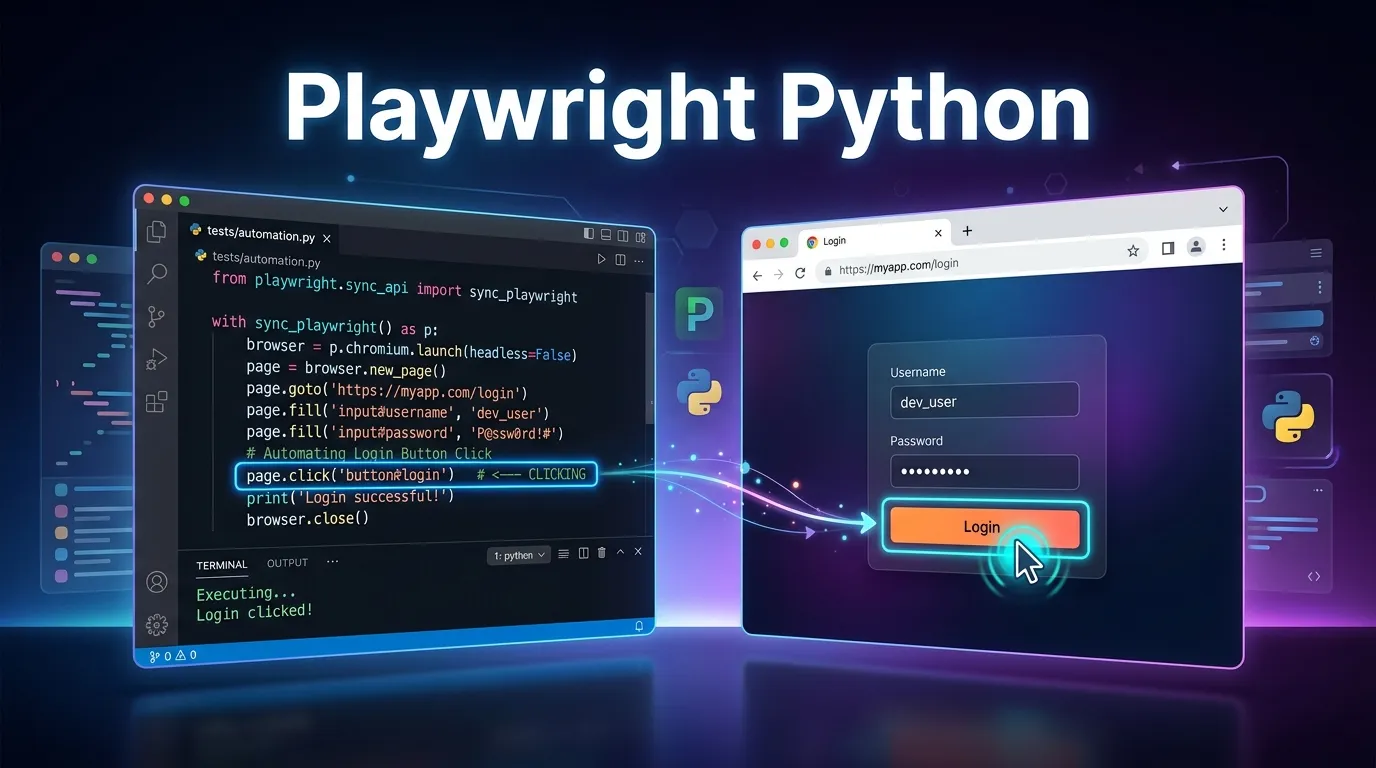
Introduction
Web applications today are more dynamic, interactive, and complex than ever before. Ensuring that these applications work flawlessly across browsers, devices, and environments is critical for businesses and developers. This is where playwright python automation becomes an incredibly powerful tool.
Traditional testing methods are often slow, unreliable, and difficult to maintain. Manual testing also struggles to keep up with rapid development cycles and continuous deployments. Automation solves these problems by allowing testers and developers to run tests quickly, consistently, and repeatedly.
Playwright, developed by Microsoft, is one of the most advanced browser automation frameworks available today. When combined with Python, a language known for its simplicity and readability, it creates a highly efficient and developer-friendly automation solution.
In this complete guide, you will learn:
- What Playwright automation is
- Why playwright python automation is gaining popularity
- How to install and set up Playwright with Python
- How to write your first automated test
- Best practices used by automation professionals
- Advanced Playwright features for modern testing
Whether you are a student learning automation, a QA engineer building testing frameworks, or a developer interested in browser automation, this guide will help you understand how to use Playwright effectively with Python.
Playwright is an open source browser automation framework developed by Microsoft that allows developers and testers to automate web browsers.
It supports multiple browsers including:
- Chromium
- Firefox
- WebKit
Playwright enables users to simulate real user actions such as:
- Clicking buttons
- Filling forms
- Navigating pages
- Taking screenshots
- Testing user workflows
Unlike older automation tools, Playwright was designed specifically for modern web applications, making it faster, more reliable, and easier to use.
Key Features of Playwright
Playwright offers a wide range of features that make it one of the most powerful automation frameworks available.
Cross Browser Testing
Playwright supports multiple browsers including Chromium, Firefox, and WebKit. This ensures your application works correctly across different browser environments.
Auto Waiting
Playwright automatically waits for elements to become available before performing actions. This reduces flaky tests and improves reliability.
Parallel Execution
Tests can run in parallel, allowing teams to execute large test suites faster.
Network Interception
Playwright allows you to intercept and mock network requests, which is useful for testing APIs and backend interactions.
Headless Execution
Playwright tests can run in headless mode, meaning the browser runs in the background without displaying a UI.
These features make playwright python automation highly efficient for both developers and QA teams.
Python is one of the most popular programming languages in the world. Its simple syntax and readability make it an excellent choice for automation.
Combining Python with Playwright provides several benefits.
Easy to Learn
Python has a simple syntax that is easy for beginners to understand. This makes automation testing accessible even to people who are new to programming.
Clean and Readable Code
Python code is highly readable, which makes automation scripts easier to maintain and debug.
Example:
from playwright.sync_api import sync_playwright

with sync_playwright() as p:
    browser = p.chromium.launch()
    page = browser.new_page()
    page.goto("https://example.com")
Large Ecosystem
Python has a massive ecosystem of libraries and frameworks, which can easily integrate with automation projects.
Ideal for Automation
Python is widely used for:
- Test automation
- Data automation
- Web scraping
- DevOps automation
Because of these advantages, playwright python automation has become a popular choice for many automation engineers.
Both Playwright and Selenium are popular automation tools. However, Playwright offers several modern improvements.
Feature Playwright Selenium
Browser support Chromium Firefox WebKit All major browsers Execution speed Fast Moderate Auto wait Built in Manual Setup Simple Moderate Modern architecture Yes Older
While Selenium remains widely used, many teams are switching to playwright python automation for better reliability and speed.
Setting up Playwright with Python is straightforward.
Step 1 Install Python
First install Python from the official Python website.
Verify installation:
python --version
Step 2 Install Playwright
Install Playwright using pip.
pip install playwright
Step 3 Install Browsers
Playwright requires browser binaries to run tests.
playwright install
This command downloads:
- Chromium
- Firefox
- WebKit
Your playwright python automation environment is now ready.
Writing Your First Playwright Python Test
Let's create a simple automation script.
Example:
from playwright.sync_api import sync_playwright

with sync_playwright() as p:

    browser = p.chromium.launch(headless=False)
    page = browser.new_page()

    page.goto("https://google.com")

    print(page.title())

    browser.close()
This script will:
- Launch a browser
- Open Google
- Print the page title
Understanding Playwright Python Commands
Playwright provides several core functions.
Launching a Browser
browser = p.chromium.launch()
This command launches a Chromium browser.
Opening a Page
page = browser.new_page()
This creates a new browser tab.
Navigating to a Website
page.goto("https://example.com")
This opens a specific webpage.
Clicking Elements
page.click("#login")
This simulates a user clicking a button.
Filling Forms
page.fill("#username", "admin")
This fills a form field.
Handling Elements in Playwright
Playwright supports several element selectors.
CSS Selectors
page.click("button.submit")
Text Selectors
page.click("text=Login")
XPath Selectors
page.click("//button[@id='submit']")
Using stable selectors improves the reliability of playwright python automation scripts.
Running Tests in Headless Mode
Headless mode runs tests without displaying a browser window.
Example:
browser = p.chromium.launch(headless=True)
This improves speed and is commonly used in CI CD pipelines.
Debugging Playwright Tests
Debugging is essential for stable automation.
Slow Motion Mode
browser = p.chromium.launch(slow_mo=100)
This slows down test execution so you can visually inspect each step.
Taking Screenshots
page.screenshot(path="test.png")
Screenshots help diagnose failures.
Best Practices for Playwright Python Automation
Following best practices helps maintain a stable automation framework.
Use Page Object Model
Page Object Model separates test logic from page actions.
Example structure:
pages
login_page.py

tests
login_test.py
Use Stable Selectors
Avoid fragile selectors such as dynamic classes.
Prefer:
data-testid="login-button"
Keep Tests Independent
Each test should run independently without relying on other tests.
Use Parallel Execution
Running tests in parallel significantly reduces execution time.
Advanced Playwright Features
Playwright includes several advanced capabilities.
Network Mocking
You can mock API responses.
Example:
page.route("**/api/users", lambda route: route.fulfill(
    status=200,
    body='{"name": "Test User"}'
))
Screenshot Testing
Playwright can compare screenshots to detect visual regressions.
Video Recording
Playwright supports recording test execution videos.
Career Opportunities with Playwright Automation
Automation skills are in high demand across the software industry.
Learning playwright python automation can open doors to roles such as:
- Automation Test Engineer
- QA Automation Engineer
- SDET
- Software Tester
- DevOps Engineer
As more companies adopt modern automation tools, Playwright expertise is becoming increasingly valuable.
Short Summary
Playwright is a modern browser automation framework developed by Microsoft. When used with Python, it becomes a powerful tool for testing web applications quickly and reliably. With features like cross browser testing, auto waiting, headless execution, and parallel testing, playwright python automation is an excellent choice for modern automation teams.
Conclusion
Automation testing is essential for delivering reliable software in fast paced development environments. Playwright Automation with Python provides a modern, powerful, and efficient approach to browser testing.
With its ability to automate multiple browsers, simulate real user actions, and integrate with modern development pipelines, Playwright is quickly becoming a preferred automation framework for developers and QA professionals.
By learning playwright python automation, you can build robust automation frameworks, improve testing efficiency, and advance your career in software testing and quality assurance.
FAQs
What is Playwright Python automation?
Playwright Python automation refers to using the Playwright framework with Python to automate browser testing and simulate real user interactions on websites.
Is Playwright better than Selenium for Python?
Playwright offers faster execution, built in waiting mechanisms, and better support for modern web applications compared to Selenium.
Can Playwright automate multiple browsers?
Yes. Playwright supports Chromium, Firefox, and WebKit browsers, enabling cross browser testing.
Is Playwright good for beginners?
Yes. Playwright has simple installation and clear documentation, making it beginner friendly.
Can Playwright run tests in headless mode?
Yes. Playwright supports headless execution, allowing tests to run without opening a visible browser window.
Professionals
Feature Image
https://images.unsplash.com/photo-1555066931-4365d14bab8c


