
Introduction
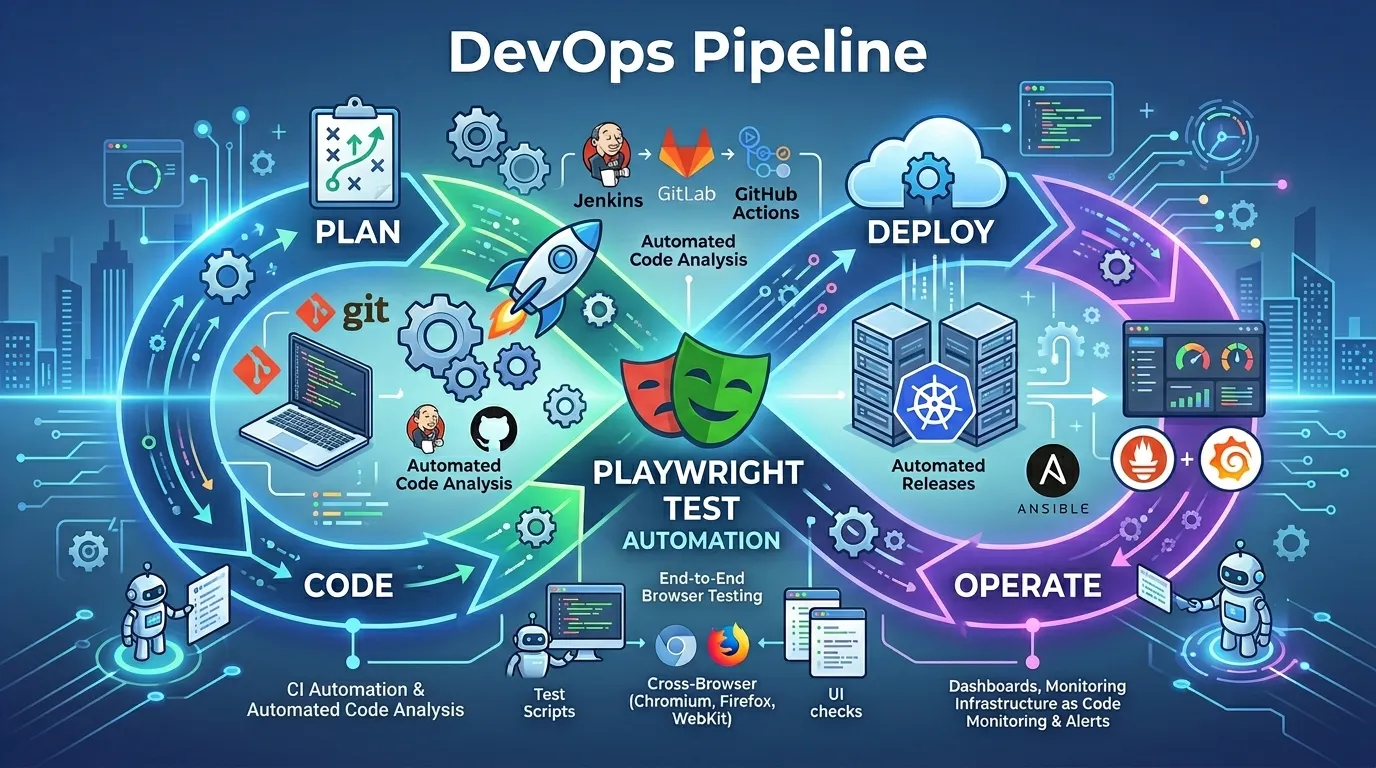
In the high-speed world of modern software delivery, automated testing is the bridge between a "code push" and a "production release." If your tests only run on a developer's local machine, you haven't truly automated your quality assurance. To achieve "Continuous Testing," your Playwright suite must be an integral part of your DevOps Pipeline.
Playwright was designed with CI/CD in mind, offering first-class support for every major CI provider. In this guide, we'll explore how to architect a DevOps-ready Playwright suite that provides fast, reliable feedback on every commit in 2026.
The Benefits of CI-Integrated Testing
- Shift Left: Catching bugs as soon as they are committed, rather than just before a release.
- Consistent Environment: Running tests on standardized Linux, macOS, or Windows runners eliminates "it works on my machine" syndrome.
- Automated Gatekeeping: Preventing broken code from ever reaching the main branch or production.
- Visibility: Providing a centralized record of test results for the entire engineering team.
1. Setting Up GitHub Actions
GitHub Actions is the most popular choice for modern Playwright suites. Playwright even provides a dedicated action to simplify the setup.
Example YAML (.github/workflows/playwright.yml):
name: Playwright Tests
on:
  push:
    branches: [ main, master ]
  pull_request:
    branches: [ main, master ]
jobs:
  test:
    timeout-minutes: 60
    runs-on: ubuntu-latest
    steps:
    - uses: actions/checkout@v4
    - uses: actions/setup-node@v4
      with:
        node-version: 18
    - name: Install dependencies
      run: npm ci
    - name: Install Playwright Browsers
      run: npx playwright install --with-deps
    - name: Run Playwright tests
      run: npx playwright test
    - uses: actions/upload-artifact@v4
      if: always()
      with:
        name: playwright-report
        path: playwright-report/
        retention-days: 30
2. Handling Environment Secrets
Never hardcode your API keys or passwords in your test scripts. Use your CI provider's Secrets feature.
- The Strategy: Define secrets in the UI (e.g., GitHub Settings -> Secrets).
- The Access: In your YAML, pass them as environment variables.
env:
  TEST_USER: ${{ secrets.TEST_USER }}
  TEST_PASS: ${{ secrets.TEST_PASS }}
In your test: process.env.TEST_USER.
3. Optimizing for Scale: Sharding
When your suite takes too long to run, use sharding to split tests across multiple machines.
# Runner 1
npx playwright test --shard=1/3
# Runner 2
npx playwright test --shard=2/3
# Runner 3
npx playwright test --shard=3/3
Playwright automatically handles the distribution and merging of results.
4. Professional Reporting in CI
Static console logs aren't enough for DevOps visibility.
- HTML Reports: Always upload the
playwright-reportfolder as an artifact. - Trace Viewer: Ensure traces are captured for failed tests so you can debug them locally.
- Trend Analysis: Use tools like Allure Report or ReportPortal to track test health over time.
5. Integrating with Other CI Providers
- Jenkins: Use the Playwright Docker image to ensure all browser dependencies are present.
- GitLab CI: Leverage GitLab's native support for JUnit report artifacts to see test results directly in the Merge Request UI.
- Azure DevOps: Use the
PublishTestResultstask to integrate Playwright outputs into the Azure pipelines dashboard.
Conclusion
A Playwright suite that lives in your DevOps pipeline is a powerful engine for quality. By automating the execution and reporting of your tests, you free up your team to focus on building new features while maintaining high-frequency, low-risk deployments. In the automated world of 2026, DevOps and QA are two sides of the same coin.
Frequently Asked Questions
ubuntu-latest is generally the fastest and most cost-effective. However, you should occasionally run your suite on macOS and Windows runners to ensure cross-platform compatibility.


