
Introduction
Writing automated tests is easy; writing tests that don't break every time a developer changes a CSS class is the real challenge. As your Playwright suite grows, so does the complexity of maintaining it. Without a set of clear best practices, you'll quickly find yourself spending more time fixing "flaky" tests than actually testing new features.
In this guide, we'll explore the essential best practices for Playwright automation in 2026. These principles are designed to make your tests robust, easy to read, and efficient to run in a fast-paced continuous integration environment.
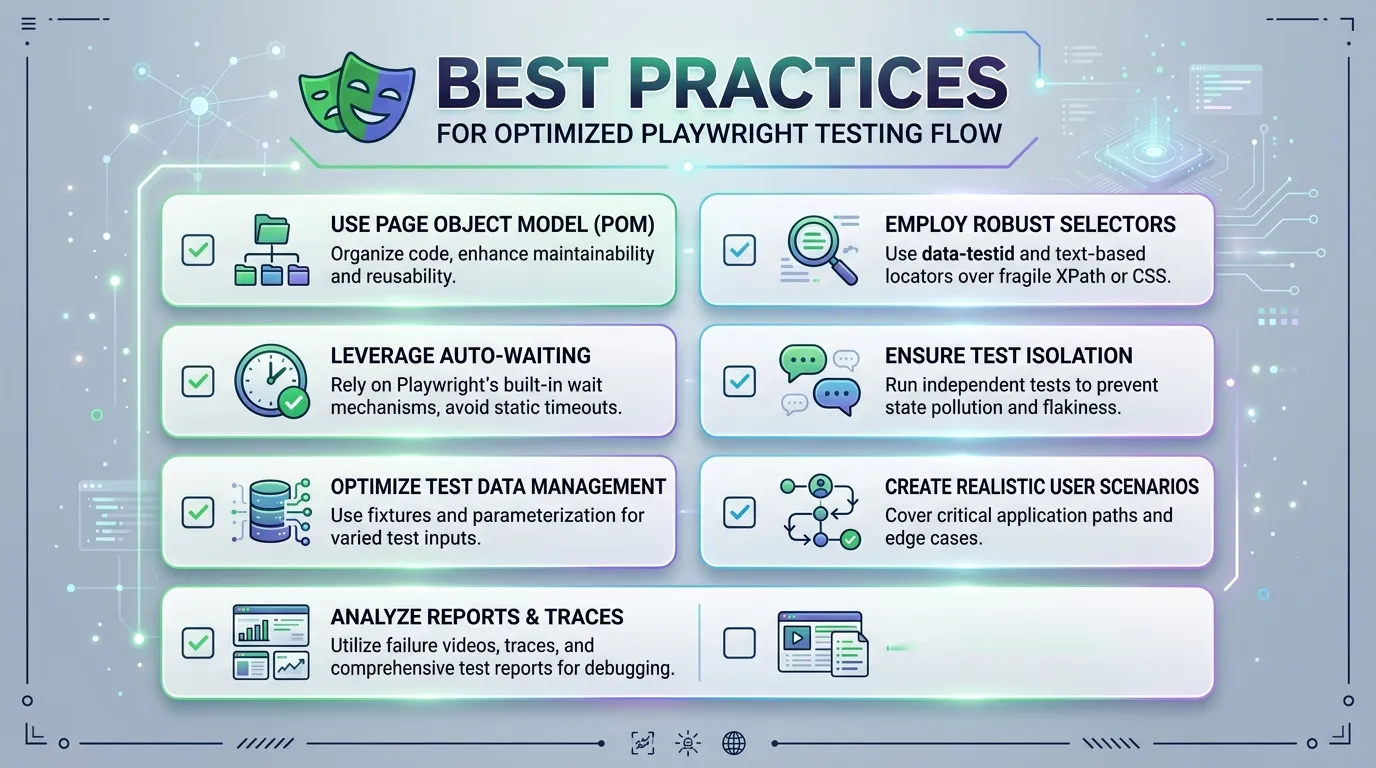
1. Use Resilient Locators (Role-Based)
One of the most common causes of test flakiness is relying on fragile selectors like long XPaths or specific CSS classes that are likely to change.
The Wrong Way:
await page.locator('.btn-primary > span').click();
The Best Practice Way: Use Role-Based Locators. These act like a real user would: by looking for a button with a specific label.
await page.getByRole('button', { name: 'Submit' }).click();
Why this works: If a developer changes the styling of the button, your test still passes because it's looking for the role and label, not the implementation.
2. Prioritize Test Isolation
Isolation is a fundamental principle of reliable testing. Each test should be able to run independently of any other test.
- Don't share state: If Test A creates a user, Test B should not depend on that user existing.
- Use
beforeEachfor setup: Ensure every test starts with a fresh page or session. - Randomize Data: Use tools like
faker.jsto generate unique emails or usernames for every test run to avoid unique constraint errors.
3. Avoid Explicit "Sleep"
Using page.waitForTimeout(5000) is the quickest way to slow down your suite and introduce flakiness. Playwright is designed with Auto-waiting.
The Best Practice: Rely on Playwright to wait for the page to be stable. If you need to wait for a specific condition, use built-in assertions or specific waits:
// Don't do this:
// await page.waitForTimeout(2000);

// Do this:
await expect(page.locator('.success-message')).toBeVisible();
4. Leverage the Page Object Model (POM)
As your test suite grows, you'll find yourself interacting with the same elements across multiple tests. Instead of repeating those locators, use the Page Object Model.
A POM is a class that represents a page in your application. It stores the locators and provides methods for interacting with them.
// pages/LoginPage.ts
export class LoginPage {
  constructor(private page: Page) {}
  usernameInput = this.page.locator('#username');
  passwordInput = this.page.locator('#password');

  async login(user, pass) {
    await this.usernameInput.fill(user);
    await this.passwordInput.fill(pass);
    await this.page.click('#submit');
  }
}
5. Optimize for CI/CD
Automated tests are only valuable if they run frequently. Optimization is key to fast feedback loops.
- Parallelism: Use the
workersoption to run multiple tests simultaneously. - Sharding: For large suites, use sharding to split tests across multiple CI machines.
- Retries: Allow for a small number of retries for flaky tests in CI to avoid blocking the whole pipeline.
// playwright.config.ts
export default defineConfig({
  retries: process.env.CI ? 2 : 0,
  workers: process.env.CI ? 4 : undefined,
});
Conclusion
Building a professional automation suite is about more than just knowing the API; it's about following consistent patterns and practices that stand the test of time. By using resilient locators, enforcing isolation, and leveraging models like POM, you'll create a suite that is a joy to maintain and a powerful tool for your team.
Frequently Asked Questions
getByRole is almost always the best choice because it mirrors how a real user or assistive technology interacts with the page.


