Introduction
Your computer is behaving strangely. Files disappear. The browser redirects to unknown websites.
You run a quick antivirus scan and it finds "malware."
You delete it—but the scan finds something different tomorrow.
But here's the problem:
👉 "Malware" is not a single thing. It is an entire family of distinct malicious software categories, each designed with a different architecture, a different purpose, and a different persistence mechanism—which is precisely why a one-size-fits-all approach to removal and defense so consistently fails.
The accurate term "malware types" describes the full taxonomy of malicious software. Understanding that a rootkit operates fundamentally differently from a worm, which operates differently from a keylogger, which operates differently from ransomware, is the prerequisite for implementing defenses that are actually tailored to the specific threat you face.
Instead of treating every security alert as generically "a virus," understanding the specific malware types and their distinct behaviors enables you to select the right detection tools, implement the right preventive controls, and respond with the right incident response actions for each specific threat category.
In this comprehensive guide, you'll learn:
- The complete taxonomy of the major malware types and what makes each distinct
- The architectural difference between self-replicating (viruses, worms) and non-replicating malware
- How sophisticated threats like rootkits and fileless malware avoid traditional detection
- The real-world attack scenarios where each malware type is deployed
- Specific defensive measures tailored to each malware category
- How multiple malware types are commonly combined in advanced attacks
By the end of this article, you will have a clear, structured mental model of the malware landscape—moving beyond the shallow "it's a virus" oversimplification to a genuinely accurate understanding of how malicious software works.
Understanding the Malware Taxonomy
The term "malware" (short for "malicious software") is an umbrella category. Every type of malicious software can be classified as malware. However, each specific malware type within this umbrella has distinct technical characteristics, propagation methods, and attack objectives.
The two most fundamental divisions are:
Self-Replicating Malware: Spreads by making copies of itself without requiring additional attacker interaction. Non-Self-Replicating Malware: Does not replicate itself; it is delivered to targets via other mechanisms (phishing, drive-by downloads, physical USB drops).
The Major Malware Types
1. Virus
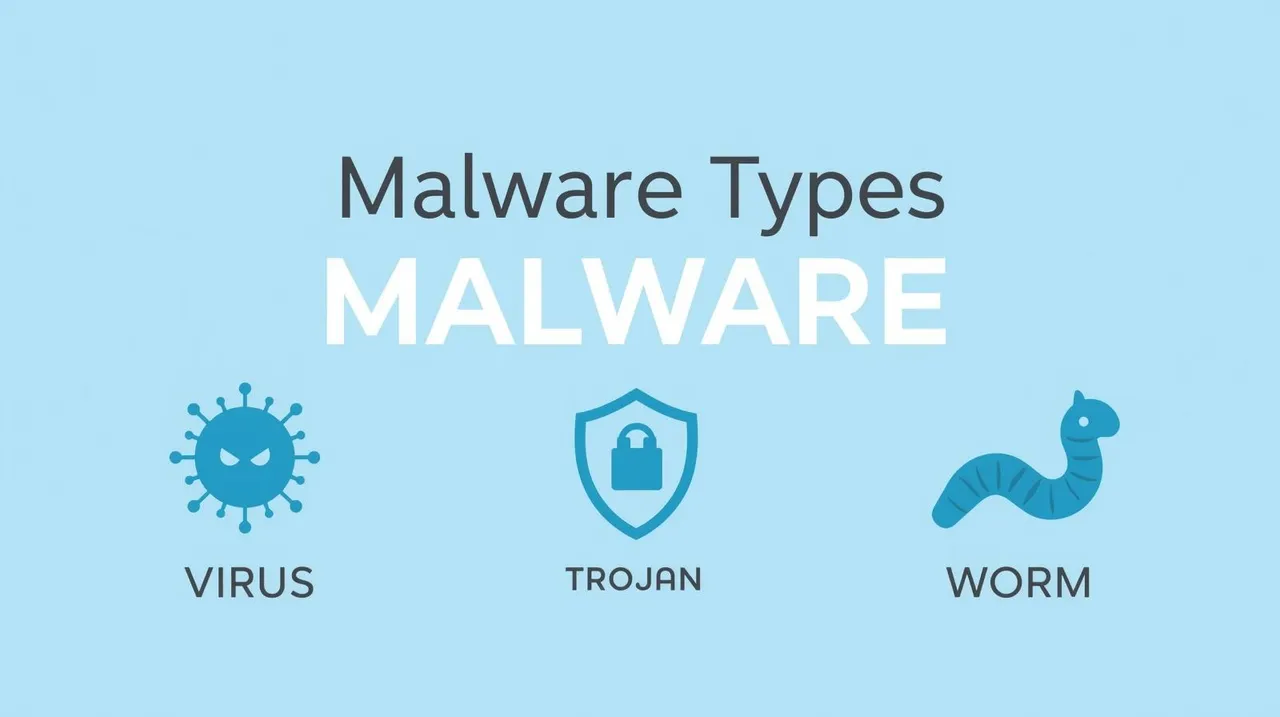
A computer virus is malware that attaches itself to a legitimate host file and requires a human to execute the infected file to activate. When executed, the virus runs its malicious payload and attempts to infect other files on the same system or connected drives by attaching copies of itself.
Key characteristic: Viruses require a human action to trigger (opening an infected email attachment, running an infected program) and require a host file to exist and spread.
Real behavior example: A virus might infect every .exe file in a folder—appending its malicious code to each one. When any of those infected executables is run, the virus payload executes and the infection spreads further.
Defense: Keep software and OS patched; avoid executing unknown files; use behavioral EDR tools.
2. Worm
A worm is self-replicating malware that, crucially, does not require a host file or human interaction to spread. Once active on a single machine, it actively scans the network for other vulnerable systems and propagates to them automatically.
What makes worms unique and dangerous: Their self-propagating nature allows them to spread across entire networks—and even across the global internet—within hours, without requiring a single human to click anything.
Famous example: WannaCry (2017) used the EternalBlue Windows SMB vulnerability to automatically propagate across networks, infecting over 200,000 systems in 150 countries within a single day.
Defense: Rapid patching of network-accessible vulnerabilities; network segmentation to limit worm propagation; intrusion detection systems that detect unusual lateral scanning activity.
3. Trojan (Trojan Horse)
A Trojan is malware that disguises itself as a legitimate, desirable program to deceive the user into voluntarily installing it. Unlike viruses and worms, Trojans do not self-replicate. They rely entirely on social engineering to get installed.
Common Trojan types:
- Remote Access Trojans (RATs): Provide the attacker with concealed remote control over the infected system, enabling file access, webcam activation, and keylogging.
- Downloader Trojans: Once installed, download and execute additional malware payloads from attacker-controlled servers.
- Banking Trojans: Specifically target online banking sessions to steal credentials and intercept 2FA codes (e.g., Emotet, TrickBot).
Defense: Download software only from official, verified sources; do not execute cracked or pirated software; endpoint security with behavioral analysis.
4. Ransomware
Ransomware encrypts the victim's files and demands a ransom payment for the decryption key. It is currently the most financially damaging malware type globally, with criminal groups operating professional Ransomware-as-a-Service (RaaS) businesses.
Modern ransomware uses hybrid encryption (fast AES-256 for file encryption combined with RSA-4096 to protect the decryption key) that is computationally infeasible to break.
Defense: Offline, regularly tested backups; EDR behavioral detection; patching; network segmentation. (See the dedicated Ransomware Attack guide for comprehensive coverage.)
5. Spyware
Spyware silently monitors and records the user's activity—keystrokes (keylogger), screenshots, browser history, microphone audio, and webcam video—and transmits this information to the attacker without the user's knowledge or consent.
Common use cases: Corporate espionage (stealing intellectual property and credentials); stalkerware (domestic abuse contexts); nation-state surveillance.
Defense: Endpoint security with behavioral detection; regular system audits; on enterprise networks, DLP (Data Loss Prevention) tools that detect unusual outbound data transmission.
6. Adware
Adware is the least malicious category—typically delivered bundled with free software. It bombards the infected device with intrusive pop-up advertisements, browser redirects, and altered search results.
While not directly harmful to data, adware degrades system performance, compromises browser privacy, and can expose users to malicious advertising networks that serve drive-by malware downloads.
Defense: Avoid installing bundled software by unchecking additional install options; use ad-blocking browser extensions; run regular malware scans.
7. Rootkit
A rootkit is one of the most sophisticated and dangerous malware types. It is specifically designed to conceal itself and other malware (like RATs or keyloggers) from the operating system's own detection mechanisms, antivirus software, and even from the user.
How rootkits hide: A kernel-level rootkit modifies the operating system's own core processes to hide the presence of specific files, network connections, and running processes from all standard system tools. When you run ls or tasklist, the rootkit intercepts the output and removes its own files from the list before it displays—making it essentially invisible to the compromised OS.
The nightmare scenario: A rootkit can persist on a system for years, undetected by all standard antivirus tools. Detection typically requires booting the system from an external, trusted media and comparing the disk contents against a known-clean baseline.
Defense: Secure Boot; UEFI firmware integrity checks; running scans from external trusted boot media; Trusted Platform Module (TPM) attestation.
8. Bootkit
A bootkit is an evolution of the rootkit concept. Instead of hiding within the operating system, a bootkit infects the Master Boot Record (MBR) or UEFI firmware—the code that runs before the operating system ever loads.
This provides the bootkit with extraordinary persistence (it runs before any antivirus software can load) and extremely high privileges (operating below the OS layer). Removing a bootkit typically requires a complete disk wipe and OS reinstallation, and in some cases, firmware flashing.
9. Fileless Malware
Fileless malware is a modern, highly evasive malware type that operates entirely in RAM (system memory) without ever writing malicious files to the disk. It piggybacks on legitimate, trusted Windows processes—particularly PowerShell, Windows Management Instrumentation (WMI), and the Windows registry—to execute its malicious code.
Why it is so effective against traditional antivirus: Signature-based antivirus looks for known malicious files on disk. If there are no files—only legitimate system processes executing unusual commands in memory—traditional AV finds nothing to flag.
Defense: Memory forensics tools; behavioral EDR solutions that monitor process behavior rather than file signatures; disabling unnecessary scripting environments (PowerShell Constrained Language Mode, disabling macros in Office); application control (AppLocker).
10. Botnet Malware (Bot)
Botnet malware silently enrolls an infected device into a vast network of compromised computers (a "botnet") controlled by a criminal ("botmaster") through a Command and Control (C2) server. Individual "bots" receive commands from the C2 server to participate in coordinated attacks.
What botnets are used for:
- DDoS attacks: Thousands to millions of bots simultaneously flooding a single target with traffic.
- Spam campaigns: Sending billions of phishing and spam emails through compromised machines.
- Cryptocurrency mining: Secretly using victims' computing resources to mine cryptocurrency for the botmaster.
- Credential stuffing: Using the botnet's distributed IP addresses to avoid rate-limiting while testing stolen credentials against websites.
How Malware Types Are Combined in Advanced Attacks
Real-world advanced attacks rarely use a single malware type in isolation. A typical sophisticated APT attack chain might look like:
- Phishing email delivers a Trojan downloader.
- The downloader fetches and installs a Remote Access Trojan (RAT).
- The RAT deploys a rootkit to hide its presence and ensure long-term persistence.
- A keylogger silently harvests administrator credentials.
- After months of data theft, ransomware is deployed across the entire network.
Each layer serves a specific function—access, persistence, stealth, intelligence gathering, and ultimate impact.
Short Summary
The major malware types each serve a distinct architectural purpose: Viruses attach to files and require human execution to spread; Worms self-propagate across networks without human interaction; Trojans masquerade as legitimate software to trick users into installation; Ransomware encrypts files for cryptocurrency extortion; Spyware silently harvests sensitive information; Rootkits and Bootkits provide deep, persistent concealment from detection; Fileless Malware operates entirely in memory to evade signature-based antivirus; and Botnet malware conscripts devices into coordinated criminal infrastructure. Advanced attacks chain multiple categories together, with each type fulfilling a specific role in a multi-stage campaign.
Conclusion
The malware threat landscape is not static. Criminal developers continuously innovate—combining fileless execution with rootkit-level persistence, or embedding banking trojans within seemingly legitimate pirated software distributed through gaming forums.
The only approach that provides robust, lasting protection against the full spectrum of malware types is a layered, defense-in-depth strategy: behavioral EDR on every endpoint, rigorous patch management, user awareness training, network segmentation, offline backups, and application whitelisting.
Understanding what each malware type is designed to do—and precisely how it achieves its objectives—transforms security controls from abstract checkboxes into targeted, meaningful defensive measures.