Introduction
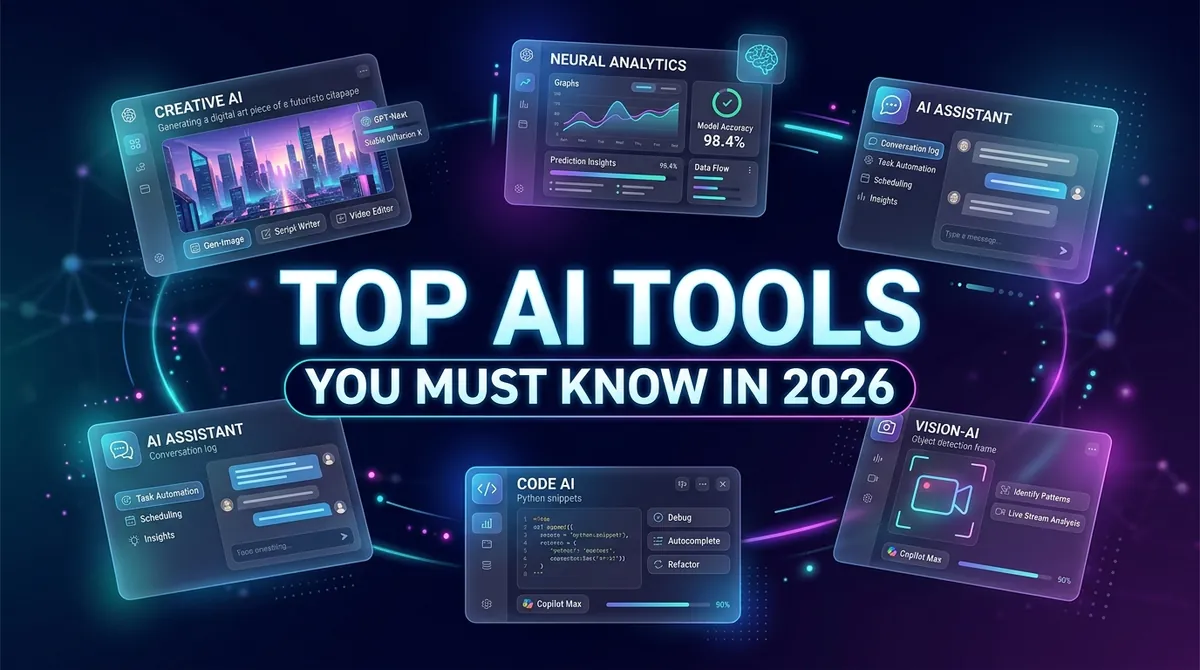
The AI tools landscape in 2026 is vast and exciting. There are now thousands of AI-powered applications designed to help you write faster, code smarter, design better, and stay secure. But with so many options, knowing which tools are truly worth your time can be overwhelming.
This guide presents the best AI tools in 2026 — organized by category — with clear explanations of what each does, who it is for, and why it matters. Whether you are a student, marketer, developer, designer, or cybersecurity professional, you will find powerful tools here that can transform how you work.
Why AI Tools Matter in 2026
- Productivity multiplier: AI handles routine tasks, freeing you for higher-value work
- Accessibility: AI gives individuals the power of entire teams
- Speed: Tasks that took hours now take minutes
- Competitive advantage: Those who use AI tools consistently outperform those who don't
In 2026, not using AI tools is becoming a significant professional disadvantage.
Category 1: AI Writing and Content Tools
ChatGPT (OpenAI)
What it does: Conversational AI that writes, explains, summarizes, translates, and codes.
Best for: Content creators, marketers, students, professionals
Key features:
- GPT-4o model with text, image, and voice capabilities
- Custom GPTs for specific use cases
- Memory and personalization
- Code interpreter for data analysis
Pro tip: Use custom system instructions to make ChatGPT match your brand voice consistently.
Gemini (Google)
What it does: Google's multimodal AI integrated with Workspace (Docs, Gmail, Sheets).
Best for: Google Workspace users and business professionals
Key features:
- Deep integration with Google Search for real-time information
- Gemini 2.0 Flash and Pro models
- Long context windows (up to 1 million tokens)
- Real-time web grounding
Claude (Anthropic)
What it does: Safety-focused AI assistant known for nuanced writing and long-document analysis.
Best for: Research, legal, academic, and enterprise writing
Key features:
- 200K+ token context window — handles entire books
- Excellent at summarizing long documents
- Strong ethical guardrails
- Claude 3.5 Sonnet for balanced performance
Pro tip: Upload full PDFs and ask Claude to extract key insights and generate structured summaries.
Jasper AI
What it does: Marketing-specific AI writing tool with brand voice training.
Best for: Marketing teams and content agencies
Key features:
- 50+ content templates (ads, blogs, emails, social posts)
- Brand voice customization and campaign workflows
- SEO mode with keyword optimization
Category 2: AI Coding Tools
GitHub Copilot
What it does: AI pair programmer that suggests code completions and fixes bugs in your editor.
Best for: Software developers and data scientists
Key features:
- Works in VS Code, JetBrains IDEs, and more
- Supports 80+ programming languages
- Explains code in plain English
- Generates documentation and unit tests
Cursor IDE
What it does: AI-first code editor built on VS Code with deeply integrated AI across your entire codebase.
Best for: Developers wanting AI throughout their full workflow
Key features:
- Multi-file code editing with codebase-wide AI understanding
- Natural language to code generation
- AI debugging and refactoring suggestions
Amazon CodeWhisperer
What it does: AWS's AI coding assistant with security scanning built in.
Best for: Cloud developers working in AWS environments
Key features:
- Identifies security vulnerabilities in code
- Suggests secure coding practices
- Free for individual developers
Category 3: AI Design and Image Tools
Midjourney
What it does: Generates stunning, detailed images from text prompts.
Best for: Designers, marketers, content creators
Key features:
- Photorealistic and artistic image styles
- High-resolution output with fine detail
- Character and style reference modes
Pro tip: Use "/describe" to reverse-engineer prompts from existing images.
DALL-E 3 (via ChatGPT)
What it does: OpenAI's image generator — excellent at following complex text prompts accurately.
Best for: Marketers, educators, content creators
Key features:
- Accurately follows complex prompts
- Generates readable text within images
- Inpainting for editing specific image areas
Canva AI
What it does: Design platform with powerful AI features built directly in.
Best for: Non-designers creating professional visuals quickly
Key features:
- Magic Design: generates full designs from prompts
- Background remover, AI text-to-image
- Magic Write for copywriting within designs
Adobe Firefly
What it does: Adobe's generative AI built into Creative Cloud for professional designers.
Best for: Professional designers and photographers
Key features:
- Generative Fill in Photoshop (edit photos with text prompts)
- Commercially safe — trained on licensed content
- Vector recoloring and background generation
Category 4: AI Productivity Tools
Notion AI
What it does: AI writing, summarizing, and knowledge retrieval inside the Notion workspace.
Best for: Teams managing projects, documentation, and knowledge bases
Key features:
- Summarize meeting notes instantly
- Draft content from existing notes
- Answer questions about your Notion workspace
Microsoft Copilot (M365)
What it does: AI integrated into all Microsoft 365 apps — Word, Excel, PowerPoint, Outlook, Teams.
Best for: Enterprise users on the Microsoft ecosystem
Key features:
- Drafts emails with context from your inbox
- Summarizes Teams meeting recordings
- Builds presentations in PowerPoint from text prompts
- Analyzes data and creates charts in Excel
Perplexity AI
What it does: AI-powered search engine that delivers cited, sourced answers to research questions.
Best for: Research, fact-checking, and competitive intelligence
Key features:
- Real-time web search with source citations
- Deep Research mode for comprehensive topic coverage
- Searchable and organized research threads
Otter.ai
What it does: AI meeting transcription, summary, and action item extraction.
Best for: Professionals who attend many meetings daily
Key features:
- Real-time transcription of meetings
- Meeting summaries with action items highlighted
- Integrates with Zoom, Teams, and Google Meet
Category 5: AI Cybersecurity Tools
Darktrace
What it does: AI-powered cybersecurity platform that detects and responds to threats autonomously using self-learning AI.
Best for: Enterprise security teams and CISOs
Key features:
- Self-learning AI establishes behavioral baselines for normal activity
- Real-time autonomous threat response
- Covers network, cloud, email, and endpoint threats
- Explainable AI for security audit trails
CrowdStrike Falcon
What it does: Cloud-native endpoint protection platform with behavioral AI at its core.
Best for: Enterprise security operations centers
Key features:
- AI-powered threat detection and prevention
- Behavioral AI stops zero-day attacks before execution
- Threat intelligence integration
- Falcon X for automated threat intelligence analysis
Vectra AI
What it does: AI-powered network detection and response (NDR) platform.
Best for: Security operations centers (SOC) facing alert fatigue
Key features:
- Detects attacker behaviors post-compromise
- Prioritizes real threats, dramatically reducing alert fatigue
- AI-driven threat scoring and triage
IBM QRadar with Watson
What it does: SIEM platform enhanced with IBM Watson AI for accelerated threat investigation.
Best for: Large enterprises with complex, hybrid security environments
Key features:
- AI-assisted threat hunting and log analysis
- Natural language queries for security data
- Automated case management and response
Category 6: AI Video and Audio Tools
Synthesia
What it does: Creates professional AI-generated videos from text using lifelike AI avatars.
Best for: L&D teams, corporate communications, online educators
Key features:
- 160+ AI presenters across demographics and styles
- 120+ languages with synchronized lip movement
- No camera or recording studio required
ElevenLabs
What it does: AI voice synthesis producing incredibly realistic human speech from text.
Best for: Podcasters, video creators, audiobook producers
Key features:
- Ultra-realistic AI voices across languages and accents
- Voice cloning from a short audio sample
- Real-time voice conversion for live applications
Runway ML
What it does: AI video editing and generation platform for creative professionals.
Best for: Video creators, filmmakers, social media producers
Key features:
- Text-to-video generation
- AI background removal and inpainting for video clips
- Video extension to lengthen short clips
- Motion tracking and green screen effects
How to Choose the Right AI Tools
Step 1: Identify Your Use Case
What problem are you solving — writing, coding, design, security, productivity?
Step 2: Start with Free Tiers
Most top AI tools offer free plans. Test before committing to a paid subscription.
Step 3: Check Integration
Does the tool integrate with your existing workflow such as your IDE, browser, or productivity suite?
Step 4: Assess Security and Privacy
For enterprise use, verify data handling policies, compliance certifications like SOC 2 and GDPR, and whether your data is used for training.
Step 5: Measure Real Impact
After 30 days, quantify your time saved, quality improvements, or cost reductions to validate ROI.
AI Tools Comparison Table
| Category | Top Tool | Best For | Free Plan |
|---|---|---|---|
| Writing | ChatGPT | General use | Yes |
| Writing | Claude | Long documents | Yes |
| Coding | GitHub Copilot | All developers | Yes (individual) |
| Design | Midjourney | Image creation | No |
| Design | Canva AI | Non-designers | Yes |
| Productivity | Microsoft Copilot | M365 users | No |
| Research | Perplexity AI | Fact-checking | Yes |
| Cybersecurity | Darktrace | Enterprise security | No |
| Video | Synthesia | Training videos | Limited |
Short Summary
The best AI tools in 2026 span writing (ChatGPT, Claude, Gemini), coding (GitHub Copilot, Cursor), design (Midjourney, Adobe Firefly), productivity (Notion AI, Microsoft Copilot), cybersecurity (Darktrace, CrowdStrike Falcon), and video (Synthesia, ElevenLabs, Runway). Selecting the right tools depends on your use case, budget, and security requirements. The key is to commit, learn deeply, and integrate AI tools into your daily workflow for maximum impact.
Conclusion
The AI tools revolution is accelerating, and 2026 marks a turning point where using AI tools is no longer optional but essential for professionals who want to remain competitive.
The tools profiled in this guide represent best-in-class options across every major category. Whether you want to write better content, code faster, design compelling visuals, strengthen your cybersecurity posture, or simply get more done in less time — there is an AI tool built to help you do exactly that.
Start with two or three tools that address your biggest pain points, learn them deeply, measure your results, and expand from there. The professionals who master AI tools today will lead their industries tomorrow.
Frequently Asked Questions
Top AI tools include ChatGPT, Gemini, and Claude for writing, GitHub Copilot and Cursor for coding, Midjourney and Adobe Firefly for design, Darktrace and CrowdStrike for cybersecurity, and Microsoft Copilot for productivity.